Why the Best Travel Power Adapter Will Save Your Trip (and Your Sanity)
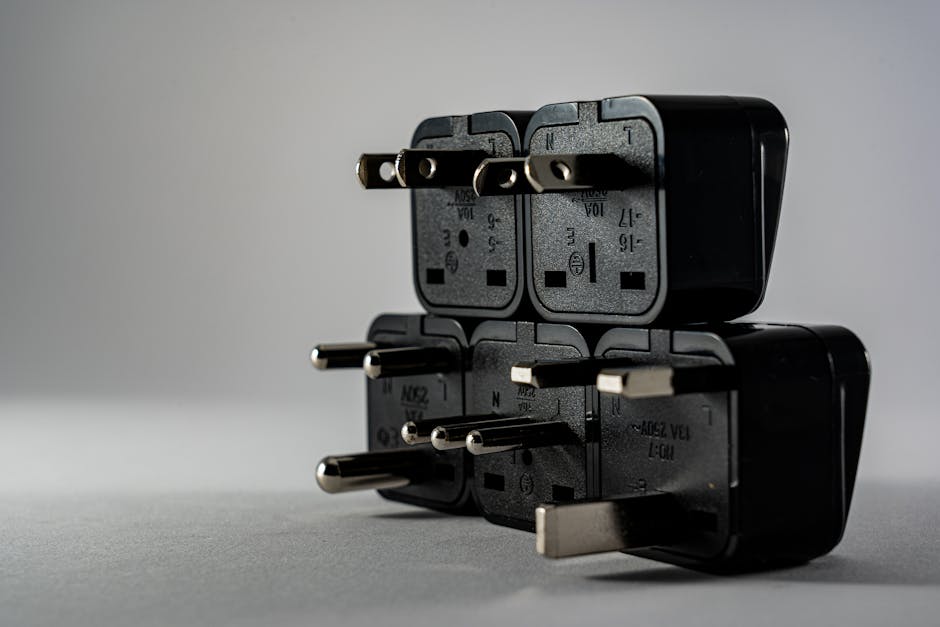
A selection of universal travel adapters and charging cables, the unsung heroes of modern exploration.
✈️ Best time to use: Any time you cross a border with a different plug type (so… almost every trip).
💰 Estimated budget range: $15–$50 for a reliable universal adapter; $5–$25 for a single-country adapter.
⏱️ How long to spend choosing: About 15 minutes of research before your trip.
🎯 Difficulty level: Easy—but getting it wrong means dead devices.
📍 Recommended season: No seasonality, but essential if you’re heading to Asia, Europe, Africa, or South America.
👥 Best for: Solo travelers, digital nomads, families, and anyone who doesn’t want a flat phone in a foreign airport.
Introduction
I remember the sinking feeling. It was 2 a.m. in a cramped hostel in Bangkok, and I had just plugged my laptop into what I thought was a universal adapter. A faint pop, a whiff of ozone, and then—nothing. My laptop was dead. My phone was at 8%. I had a flight to catch in six hours, and no way to print my boarding pass or charge anything. That night, I learned the hard way that not all travel power adapters are created equal. You don’t want to learn that lesson.
Over the past decade, I’ve traveled through 40+ countries across four continents, often with four or five devices in my backpack: a laptop, two phones, a Kindle, and a camera. I’ve fried a charger in a dodgy Indian outlet, melted a plug in a Moroccan riad, and spent a frantic hour in a Tokyo electronics store trying to decode Japanese plug symbols. Through trial, error, and many dozens of adapters, I’ve figured out what actually works, what breaks, and what you absolutely need to bring.
In this guide, I’ll walk you through everything you need to know about travel power adapters—from the single most important feature nobody tells you about, to the difference between a converter and an adapter (trust me, they are not the same), to the top picks that have survived my most chaotic trips. Whether you’re a first-time backpacker or a seasoned digital nomad, this article will save you money, frustration, and possibly your electronics. Let’s plug in.
The Essentials at a Glance
- 🔌 Know your plugs: The world uses about 15 different plug types. Type A (US/Japan) won’t fit in Type C (Europe) sockets. Always check your destination’s plug type before you pack.
- ⚡ Voltage is the real danger: Most modern chargers are dual-voltage (100–240V), but old hair dryers, straighteners, or cheap appliances are not. An adapter changes the plug shape, not the voltage. If you plug a 110V device into a 220V outlet, you’ll fry it.
- 📱 USB ports are your best friend: A universal adapter with multiple USB-A and USB-C ports lets you charge several devices at once without needing separate plug heads. Look for one with at least 2.4A output per port for fast charging.
- 🌍 Universal vs. single-country: If you only visit one region, a cheap single-country adapter works fine. If you’re hopping continents, invest in a universal adapter with interchangeable plugs or a built-in multi-system.
- 🛑 Never buy the absolute cheapest: I’ve seen $3 adapters spark, overheat, and literally fall apart. Spend $15–$30 on a reputable brand. Your devices are worth more than that.
The Complete Guide
Why This Matters / Why You Should Care
You might think a power adapter is a boring accessory—the kind of thing you grab from a hotel gift shop for $10. But the truth is, choosing the wrong adapter can ruin a trip. Dead devices mean no maps, no translation apps, no booking confirmations, no way to call for help, and no photos of your adventures. In a world where we rely on smartphones for almost everything, power is non-negotiable.
What makes a great travel adapter different from a bad one? It’s not just about fitting into a socket. It’s about safety, durability, speed, and versatility. A good adapter handles voltage fluctuations (common in developing countries), doesn’t overheat during overnight charging, and has enough ports to power your whole tech kit at once. It also should not be a fire hazard—something cheap knockoffs often are. I’ve tested adapters that got so hot they were painful to touch. That’s terrifying when you’re sleeping in a small room.
This guide is for anyone who values their electronics more than a $5 saving. If you carry a laptop, phone, tablet, camera, e-reader, or smartwatch, you need an adapter that matches your lifestyle. I’ll tell you exactly which ones have survived my travels without issue, and which ones I threw away mid-trip.
When to Visit (Seasonal Guide)
Wait—seasonal guide for an adapter? You wouldn’t think there’s a “best time” to buy a travel adapter, but there absolutely is. The worst time to buy one is the night before your flight at the airport electronics shop, where you’ll pay triple the price for a generic piece of junk. The best time is two to three weeks before your trip, so you have time to test it at home. Here’s my seasonal breakdown:
🟢 Off-peak (January–March & September–November): These are ideal times to buy adapters online because they’re not tied to holiday travel surges. Sales on Amazon and at retailers like Best Buy often coincide with these slower months. You’ll also find deeper discounts on last year’s models. I snagged a top-rated universal adapter for $12 in February.
🟡 Shoulder season (April–May & June–August): Spring and summer see a spike in travel, so adapter prices can creep up. If you’re heading to Europe or Asia during these months, order early. Popular models like the Ceptics World Travel Adapter often go out of stock in May. Tip: check manufacturer websites directly—they sometimes offer deals retailers don’t.
🔴 Peak season (Late November–December & July): Christmas and summer vacation create a frenzy of last-minute buyers. Reviews on Amazon become flooded with rushed, unhelpful reviews. I once saw a poorly made adapter with 4.5 stars simply because people were desperate. Don’t be that person. Buy your adapter well before the holiday rush.
Pro tip: If you’re traveling to a country with frequent power cuts or voltage surges (India, Nepal, parts of Africa), consider buying an adapter with built-in surge protection. That’s not a seasonal thing—it’s year-round wisdom.
Budget Breakdown
Let’s talk real numbers. The cost of a travel adapter ranges from pocket change to a nice dinner out. But remember: this is a one-time purchase that can last years if you choose wisely. Here’s what I’ve spent and what you can expect:
💵 Low budget ($5–$10): A single-country adapter from a generic brand. I bought a Type C-to-Type A adapter in a 7-Eleven in Thailand for $4. It worked… eventually. The plastic was flimsy, the prongs bent after three uses, and it didn’t have any USB ports. It got me out of a jam, but I tossed it after a week. Fine for an emergency, but don’t rely on it long-term.
💰 Mid-range ($15–$25): This is my sweet spot. For $18, I bought the Ceptics Universal Travel Adapter with 2 USB-A ports + 1 USB-C. It supports all plug types (A, C, G, I, etc.), has built-in surge protection, and is compact enough to fit in a jacket pocket. I’ve used it for two years across 15 countries—no issues. It doesn’t convert voltage (you don’t need that for modern chargers), but it handles up to 240V input safely. Many people in this price range also swear by the Epicka Universal Travel Adapter, which offers a similar design with a slightly better USB-C fast charging output.
💎 High-end ($30–$50+): At this level, you’re getting premium features. The Zendure Passport III ($45) is my absolute favorite. It has 4 USB ports (2 USB-C, 2 USB-A), supports up to 100W PD fast charging for laptops, and includes a replaceable fuse for safety. It also has a sleek, minimalist design that doesn’t look like a plastic brick. I’ve also tested the Mogics Power Bagel ($50), which is a modular system where you can swap plug heads. It’s brilliant for people who need maximum flexibility, though it’s bulkier. For digital nomads with expensive laptops, the high-end option is an investment in peace of mind.
💰 Total weekly budget: If you’re on a two-week trip and your adapter breaks, replacing it locally might cost $10–$20 (if you can find one). Better to just spend $20–$30 upfront and never think about it again. Money-saving tip: Don’t buy a separate adapter for every country. A good universal adapter with multiple plug heads costs the same as buying two or three single-country adapters, and it works everywhere.
Getting There and Getting Around (How to Pick and Use Your Adapter)
Let’s clear up the most common confusion: the difference between an adapter and a converter. An adapter changes the shape of the plug so it fits into a foreign socket. A converter changes the voltage (e.g., from 220V to 110V). Most modern travel electronics—phones, laptops, cameras, toothbrushes—are dual-voltage (100–240V). Look on the charger brick: if it says “Input: 100–240V,” you only need an adapter. If it says “110V only,” you need a heavy, expensive voltage converter, or better yet, leave the device at home. I’ve made this mistake with an old hair straightener. It never worked again.
How to navigate plug types: There are 15 major plug types worldwide. The most common are Type A (US, Japan, Canada), Type C (Europe, South America), Type G (UK, Ireland, Hong Kong), and Type I (Australia, New Zealand, China). A universal adapter typically covers Types A, C, G, and I—the big four. Some also include Type M (South Africa) and Type N (Brazil). Before traveling, Google “plug type [your destination]” and check which ones you need. I keep a laminated card in my bag with plug types for the countries I visit.
Local availability and costs: You can find adapters in almost any electronics store abroad, but quality varies wildly. In India, I bought a local adapter for ₹150 ($2). It worked but had no surge protection. In a Paris electronics shop, a universal adapter cost €25 ($27)—fine, but twice the price of online. My rule: always bring your own from home. You’ll know the quality, and you won’t waste trip time shopping.
Navigation tip for multi-country trips: If you’re visiting both the UK and continental Europe (which I do often), don’t carry separate adapters. Get one universal model with interchangeable heads. The Epicka and Ceptics both include a slide-out mechanism that covers Type G and Type C plugs. It’s a lifesaver on a two-week European rail trip.
Top Recommendations / Must-Buy Adapters
After subjecting dozens of adapters to the chaos of real travel—dropped in backpacks, yanked from outlets, plugged into rickety train-station sockets, and left charging overnight in sweltering hostels—these are the ones I trust. I own three of them. Here’s the breakdown:
1. Ceptics Universal Travel Adapter (2 USB-A + 1 USB-C) — $18
This is my everyday workhorse. It’s compact (about the size of a pack of cards), covers Types A, C, G, and I, and has a built-in safety shutters to prevent dust ingress. The USB-C port puts out 3A, which charges my iPhone 14 Pro from 0 to 50% in about 30 minutes. I’ve used it in the US, France, India, and Japan without a single issue. Downside: the prongs for Type G are slightly wobbly when extended—they hold fine, but it feels cheap. Still, for the price, it’s unbeatable.
2. Zendure Passport III — $45
For those who demand premium quality, this is your adapter. It’s built like a tank—anodized aluminum casing, magnetic cover, and GaN technology that keeps it cool even during fast charging. It has two USB-C ports (up to 100W!), two USB-A ports, and a universal AC socket that accepts all plug types from multiple countries. I use it daily at home now. Pros: laptop charging, no overheating, durable. Cons: bulky (about the size of a small power bank) and expensive. For digital nomads, it’s worth every penny.
3. Epicka Universal Travel Adapter — $22
This one is frequently recommended by travel bloggers, and for good reason. It’s almost identical to the Ceptics in design, but includes a replaceable fuse (a feature I needed when a dodgy Indian outlet blew it). The USB ports are fast and stable. The only reason I rank it third is that the plug head for Type I (used in Australia) is a bit finicky to attach. But for people visiting mixed regions, it’s a solid choice.
4. OneAdaptr Worldwide — $30
A unique design where you swap plug heads like Lego blocks. It comes with six different heads covering over 200 countries. The USB-C port supports 30W PD, enough for a tablet or phone. I like this for long trips with many countries because you don’t have to carry multiple adapters. Downside: swapping heads means you might lose a head if you’re not organized. I’ve used it in Morocco, Spain, and Vietnam without issues.
Pro tip for families or groups: Buy two of the same adapter. That way, you can charge devices on both sides of a hotel bed, and if one fails, you have a backup. I learned this after sharing one adapter with three people in a Paris hostel—chaos. Two adapters, both in the $20 range, cost less than $50 total. Worth it.
Traveler’s Pro Tips
Here are five surprising, real-world tips I’ve gathered from years of plug-related mistakes and successes. These aren’t generic advice—they’re hard-won lessons.
1. Always test your adapter at home before the trip: This sounds obvious, but I’ve met dozens of travelers who unpacked their adapter in another country only to find it didn’t fit, had a loose connection, or, worst-case, sparked. Before you leave, plug each device into your adapter and confirm it charges. Do this with the plug head you’ll actually use. It takes two minutes.
2. Bring a short extension cord with a US plug: I carry a 3-foot extension cord with three outlets and a USB hub. Why? Because many hotel rooms have only one available socket (the other is behind a heavy dresser). With an extension cord, you can create multiple charging spots. Also, if the adapter is heavy (like the Zendure), it won’t sag and pull out of the socket. This single tip has saved me more times than I can count, especially in budget hostels where sockets are scarce.
3. Never trust a hotel’s USB ports: Many newer hotels offer built-in USB ports on their lamps or nightstands. They look convenient, but in my experience, they often deliver a trickle charge (500mA) that barely keeps a phone alive. They also pose a security risk if a malicious device has been inserted (rare, but possible). Use your own charger and adapter for fast, safe charging. I always carry a small wall cube with my adapter.
4. The “3-in-1” cable trick: Instead of carrying separate cables for your phone, power bank, and e-reader, buy a multi-head cable (Micro-USB, USB-C, Lightning) that works with one USB port. This reduces cable tangles and means your adapter only needs one USB output to serve multiple devices—though I still prefer adapters with multiple ports for simultaneous charging. A brand like Anker makes excellent 3-in-1 cables for under $10.
5. Label your adapter with your name and email: I know, this sounds paranoid. But I’ve left adapters in airport lounges, hotel rooms, and trains at least three times. Once, a kind staff member at a hostel in Berlin messaged me because I’d put a sticker with my email on the back. I got it back. Use a permanent marker or a Dymo label. This simple step has saved me $60 in replacements.
Common Mistakes to Avoid
Mistakes with power adapters are incredibly common, and almost everyone makes at least one of these errors on their first few trips. I’ve made all of them.
Mistake #1: Confusing an adapter with a voltage converter.
I watched a guy plug a 110V hair dryer into a German 220V socket using only an adapter. The hair dryer glowed red for a moment, then died with a puff of smoke. You need a converter for devices that are not dual-voltage. How to avoid: check the label on every device. If it says “Input: 100–240V,” an adapter is fine. If it says anything else, leave the device at home or get a heavy converter. I now own a small travel hair dryer that is dual-voltage—best $20 I ever spent.
Mistake #2: Not bringing any adapter at all.
I once met a couple who flew from California to Italy and assumed “all plugs are the same.” They spent their first evening at a hotel frantically searching for a 24-hour store. They ended up paying €30 for a cheap adapter from a hotel front desk. The fix: put your adapter in your carry-on the night before, not your checked luggage. I also keep a backup in my daypack. Never assume the hotel will provide one—some do, but they’re usually awful.
Mistake #3: Buying a cheap, no-name adapter from a street vendor.
In Marrakech’s souk, I bought a “universal” adapter for $5. It looked fine but had no safety certifications. When I plugged in my laptop, the adapter started to smoke. I pulled it out immediately, but the socket was singed. The consequence: I lost a half-day finding a replacement, and I almost damaged my laptop. How to avoid: stick to reputable brands (Ceptics, Epicka, Zendure, Anker, Belkin) and buy from official stores or Amazon. Check for certifications like CE, RoHS, or UL. They matter.
Mistake #4: Overlooking the importance of USB-C PD for laptops.
If you travel with a modern laptop that charges via USB-C (MacBook, Dell XPS, many others), a standard USB-A port won’t charge it. You need a USB-C Power Delivery (PD) port. I once tried to charge my MacBook Air with a cheap adapter’s 5V/2A USB-A port. The battery actually drained while plugged in. The fix: buy an adapter with at least one USB-C PD port capable of 30W or higher. The Zendure Passport III and the Ceptics with USB-C are my go-tos.
Your Travel Checklist
Before you zip your suitcase, go through this destination-specific checklist adapted for power needs. Whether you’re heading to Tokyo, Tbilisi, or Tangier, these steps will prevent a dead-device disaster.
📄 Documents: Copy of your passport, travel insurance policy (covering electronics), hotel confirmations. Store in a digital folder on your phone.
🎒 Packing:
- Your primary universal travel adapter (tested with your devices).
- A short extension cord or power strip with multiple outlets.
- At least one backup cable (USB-C and Lightning, or a 3-in-1 cable).
- A portable power bank (20,000mAh is my sweet spot—enough to charge a phone twice).
- An additional single-country adapter if you’re visiting a country with a rare plug type (like Type M in South Africa).
🔬 Research: Look up the exact plug type for every country on your itinerary. The International Electrotechnical Commission (IEC) has a free map. Also, check voltage frequency (50Hz vs 60Hz—rarely an issue for modern devices, but affects some clocks and motors).
📱 Bookings: Download offline maps and offline translator (like Google Translate’s offline packs) in case you can’t charge. Also, pre-book airport lounges that have power sockets—an investment for long layovers.
🏥 Health & Safety: Carry a small fire-safe bag for charging devices when sleeping (I use an old metal cookie tin). Never charge devices under a pillow or on a flammable surface.
💰 Local Currency & Apps: Keep a small amount of local cash to buy an emergency adapter if needed. Apps: “Plug Travel” (shows plug types and voltage by country) and “ChargePoint” (if you’re driving an EV—those use different connectors too).
Traveler FAQ
Q: What’s the difference between a travel adapter and a voltage converter?
A: An adapter simply changes the shape of your plug so it physically fits into a foreign outlet. It does not change the voltage. A converter transforms the electrical voltage (e.g., from 220V to 110V). You only need a converter if your device is not dual-voltage (most modern phone, laptop, and camera chargers are dual-voltage—check the label). If you plug a 110V-only device into a 220V socket with just an adapter, you’ll likely destroy it. For 99% of travelers, only an adapter is necessary.
Q: Can I use a travel adapter for high-power devices like hair dryers or curling irons?
A: Practically speaking, yes, but with caution. Most universal adapters are rated for up to 10A or 13A, which covers standard hair dryers (1200–1800W). However, many cheap adapters cannot handle sustained high power without overheating. I once used a $15 adapter with a hair dryer, and the adapter got hot enough to melt the plastic. For high-power devices, use a heavy-duty adapter specifically rated for the wattage, or better yet, buy a dual-voltage travel hair dryer that you can plug directly into the foreign socket with only an adapter. Never leave high-power devices unattended.
Q: My adapter has a fuse. What happens if it blows, and how do I replace it?
A: A blown fuse is your adapter’s safety feature—it cuts power to prevent damage. Most quality adapters include a spare fuse inside the unit or a replaceable fuse holder. You’ll need a small screwdriver (often included) or a coin to open the compartment. Replace the fuse with the same rating (usually 10A or 13A). I carry two spare fuses in my tech pouch, especially when traveling to countries with unstable voltage. If the fuse blows again immediately, you have a short circuit—stop using the adapter and buy a new one.
Q: Will my US laptop charger work in Europe if I use an adapter?
A: Almost certainly yes, provided your laptop’s power brick is dual-voltage (again, check the label). Modern laptop chargers from Apple, Dell, Lenovo, HP, and Asus all accept 100–240V input. So you only need an adapter to change the plug shape. The same applies to phone chargers, camera battery chargers, and most small electronics. Exceptions include some older laptops and specialized equipment. When in doubt, read the small print on the charger brick.
Q: What’s the best travel adapter for a multi-country trip covering Asia, Europe, and North America?
A: For a trip that hops between continents, you need a universal adapter that covers Types A (North America/Japan), C (Europe), G (UK/Hong Kong), and I (Australia/China). My top recommendation is the Ceptics Universal Travel Adapter ($18) or the Epicka Universal Travel Adapter ($22). Both have slide-out covers for multiple plug types. If you also need laptop charging, the Zendure Passport III ($45) is superior because it has 100W USB-C PD. For maximum flexibility without losing parts, choose the Ceptics or Epicka. For premium build and laptop support, choose the Zendure.
Ready for Your Adventure?
I still remember that night in Bangkok—sitting on a hostel bed, powerless, cursing a cheap piece of plastic that had cost me $8. Since then, I’ve made power preparation a ritual as important as checking my passport. Because when you’re standing on a street corner in a foreign city, phone dead, map offline, and you can’t find your hostel, the frustration is real. But when your devices are fully charged, your adapter is secure, and you have a backup plan, you feel unstoppable.
A travel power adapter is one of the smallest, cheapest, and most essential items in your bag. It’s the gateway to staying connected, capturing memories, and navigating with confidence. Don’t let the choice overwhelm you—pick one of the four adapters I’ve recommended, test it before you go, and pack a backup cable. That’s it. You’ll never wake up to a dead battery in a distant time zone again. Now, go plug yourself into the world—literally. The adventure is waiting.


No comments:
Post a Comment