Why Mastering Remote Work Internet Lets You Work from Anywhere Without the Stress
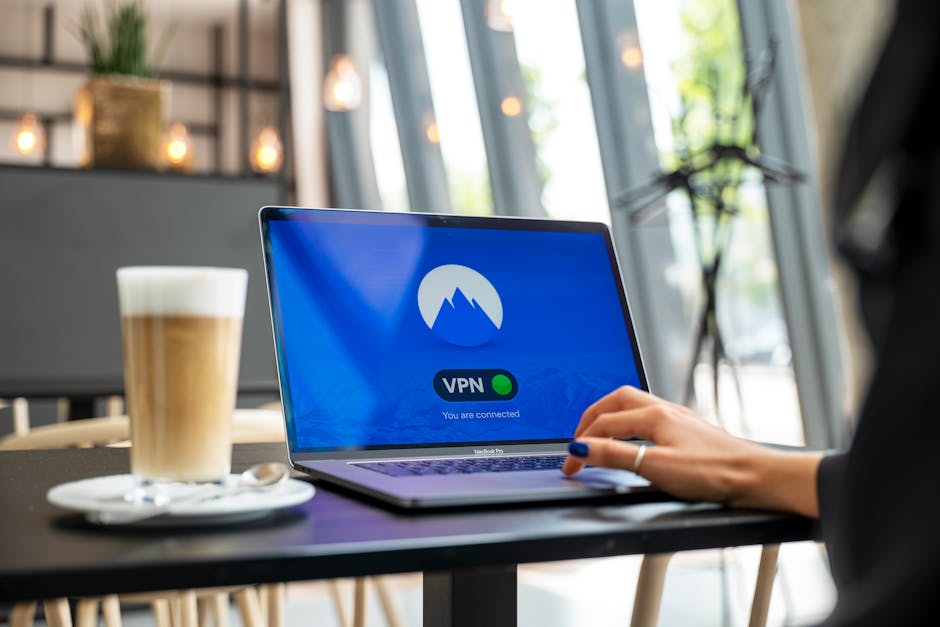
That moment when you find a corner with strong signal and a great view — it’s worth planning for.
✈️ Best time to visit: Any time, but avoid peak holiday seasons when cafes are crowded.
💰 Estimated budget range: $10–$50/day for data plans; $5–$15/day for café co-working.
⏱️ How long to spend: As long as your visa allows — weeks or months.
🎯 Difficulty level: Moderate — requires pre-planning for reliable connections.
📍 Recommended season: Spring or fall for pleasant outdoor working weather.
👥 Best for: Solo remote workers, digital nomads, freelancers.
Introduction
I remember the panic vividly. I was in a buzzing café in Chiang Mai, staring at a spinning wheel on my laptop screen. My client deadline was in two hours, and the café Wi-Fi had just died. The barista shrugged. The backup personal hotspot had zero bars. I had a choice: find a connection fast, or lose the contract.
That afternoon, I learned the hard lesson that remote work internet is not a luxury — it’s the lifeline of your livelihood. Over the next three years, I worked from 14 countries across Asia, Europe, and Latin America. I’ve tested shared Wi-Fi in Indonesian homestays, tethered to a phone on a Moroccan mountain, and relied on an eSIM that saved me in a Tokyo subway station. I’ve also fallen for every rookie mistake: assuming airport Wi-Fi is safe, buying a local SIM that didn’t work in the next region, and spending hours in a “co-working” space that turned out to be a noisy lobby.
This article is not theory. It’s the practical, battle-tested strategy I wish I’d had from day one. You’ll learn exactly how to find, test, and secure reliable Wi-Fi — anywhere. Whether you’re a digital nomad, a remote employee on a sabbatical, or a freelancer traveling for a month, I’ll show you the coffee shop hacks that actually work, when to buy a local SIM versus an eSIM, and how to avoid the connectivity disasters that could derail your work.
The Essentials at a Glance
- ☕ Always have a backup plan: Never rely on one source — carry both an eSIM account and a local SIM card ready to activate.
- 📱 Test before you need it: Run a speed test on arrival; upload speeds below 5 Mbps will kill video calls.
- 🍜 Library over café: Public libraries almost always have faster, more stable Wi-Fi than trendy coffee shops.
- 🔐 Use a VPN on every network: Even “secure” hotel Wi-Fi can be snooped — no exceptions.
- 🌍 Buy region-specific eSIMs: Global plans are convenient but often throttled; regional plans are cheaper and faster.
The Complete Guide
Why This Matters / Why You Should Go
Reliable Wi-Fi isn’t about convenience — it’s about freedom. When you know you can stay productive anywhere, the world opens up. I’ve taken Zoom calls from a beachfront deck in Bali, edited code from a train crossing the Scottish Highlands, and submitted proposals from a hostel in Medellín. But the difference between a seamless experience and a nightmare is preparation.
This guide is for the traveler who wants to work, not just vacation. Maybe you’re a remote software engineer, a freelance designer, a writer, or an entrepreneur. You want to explore new cultures, but you can’t afford to miss deadlines. Understanding how to secure fast, safe internet is the single most important skill for location-independent work. Without it, you’re just a tourist with a laptop. With it, you’re unstoppable.
When to Visit (Seasonal Guide)
Unlike traditional travel, the “best time” for remote work depends more on infrastructure reliability than weather. In Southeast Asia, for example, the dry season (November to February) is ideal — fewer power outages, less rain interfering with satellite signals, and cafes are less humid. In Europe, avoid August when locals are on holiday and many coworking spaces operate reduced hours. I once landed in Lisbon in July — the city was packed, cafe Wi-Fi was overloaded, and I spent my first three days troubleshooting. Later, I returned in October and had blazing-fast connections in half-empty spaces.
For Latin America, the shoulder months (March–May and September–November) offer the best balance of good weather and low tourist crowds. In Colombia, Medellín’s “eternal spring” weather makes any month workable, but February’s flower festival means accommodation prices spike and cafes are full. Always check local holiday calendars — a national holiday can mean closed public libraries and quiet cafes.
Budget Breakdown
Here are real numbers based on my personal spending across three continents:
- Accommodation (low): $15–$30/night — hostel with strong Wi-Fi (ask before booking) or a basic guesthouse. In Vietnam, I paid $18/night for a room with 50 Mbps fiber.
- Accommodation (mid): $40–$70/night — Airbnb with dedicated workspace. In Mexico City, I found a studio with 100 Mbps for $55/night.
- Accommodation (high): $80–$120/night — boutique hotel with business center and backup fiber. In Barcelona, that got me a room with a desk and guaranteed uptime.
- eSIM/Data: $10–$30/month for regional plans (like Airalo or Holafly). A local SIM in Thailand cost me $8 for 30GB.
- Café coworking: $3–$8 per day (one coffee plus a few hours). Coworking spaces: $100–$200/month for a hot desk.
- Total weekly: Low budget ~$200, mid ~$450, high ~$700.
Money-saving tip: Stay in one city for a month to negotiate accommodation discounts. Many hosts give 30–50% off for monthly stays.
Getting There & Getting Around
Getting to your destination is the easy part. The real challenge is maintaining connectivity as you move. When I arrived at Suvarnabhumi Airport in Bangkok, I immediately bought a tourist SIM at the kiosk — 30GB for 300 baht ($9). That lasted my whole stay. In Europe, I pre-loaded an Airalo eSIM before boarding the plane; it activated as soon as I landed in Paris. No scrambling for a store.
For local transport, apps like Google Maps (download offline maps ahead) and Citymapper work with minimal data. In cities like Medellín or Taipei, public Wi-Fi on metros is surprisingly good — I’ve had entire meetings on the Taipei MRT. However, be cautious: never log into sensitive accounts on public transport Wi-Fi. Use a VPN. For getting around rural areas, I always keep a local SIM from the major carrier (e.g., Claro in Latin America, AIS in Thailand) because their coverage extends farther than budget carriers.
Top Recommendations / Must-Do Activities
Let’s get specific. These are the networks and tools that have never let me down:
- Airport lounges: Not just for luxury travelers. A Priority Pass or LoungeKey membership ($99/year) gives you access to quiet desks, power outlets, and reliable Wi-Fi. I’ve finished urgent edits in lounges in Singapore, Istanbul, and Mexico City. The Wi-Fi is usually enterprise-grade.
- Hotel business centers: Even budget hotels often have a small business center with a printer and dedicated internet line. In a pinch, ask at the front desk. I once got a free upgrade to a room with a fiber connection just by asking nicely.
- Coffee shop hacks: Not all cafes are equal. Look for places that cater to digital nomads — they usually have signs listing the Wi-Fi speed. Order a drink and ask for the password before sitting down. Test the speed on Fast.com. If below 10 Mbps, leave. In Lisbon, I found a café called “The Desk” that offered 200 Mbps for the price of a cappuccino.
- eSIM providers: Airalo is my go-to for global coverage — install the app, buy a regional or country pack, and activate when you land. For longer stays, Holafly offers unlimited data plans that work better for video calls. Both are cheaper than roaming.
- Local SIM secret: In many countries, you can buy a local SIM at a 7-Eleven or convenience store (Thailand, Japan, Mexico). Ask for a “data-only” plan — they’re often half the price of plans with voice minutes. In Bali, I paid $5 for 50GB from a Telkomsel booth at the airport.
One downside: in super remote areas (like the Philippines’ Palawan island), even local SIMs can be slow. Pre-download offline files and warn your team about potential delays.
Traveler’s Pro Tips
Tip 1: Always carry a backup device. I keep a cheap Android phone with a second eSIM profile as a dedicated hotspot. If my laptop’s connection drops, I tether instantly. Cost me $50, saved my career twice.
Tip 2: Use café Wi-Fi strategically. Sit near the router. Ask the barista where it is. In one café in Prague, the router was hidden behind a fake plant; sitting next to it tripled my speed from 8 Mbps to 45 Mbps.
Tip 3: Run a “video call test” in the first hour. Don’t wait until a meeting. Open Zoom’s test call or use a tool like Speedify to simulate video upload. If it stutters, find another spot.
Tip 4: Buy an eSIM for the region, not the world. Global eSIMs often route through slow servers. For example, an “Asia Regional” eSIM gave me 60 Mbps in Ho Chi Minh City, while a global one gave 12 Mbps. Check the fine print.
Tip 5: Use offline tools religiously. Google Docs offline mode, Slack’s offline drafts, and Notion’s offline access mean you can work without connectivity. I draft articles on a plane, then sync when I land.
Common Mistakes to Avoid
Mistake 1: Relying only on café Wi-Fi. I once spent three hours hopping between four cafes in Barcelona, never finding stable enough speeds for a client call. Why it happens: Cafés optimize for browsing, not video conferencing. How to avoid: Always have a mobile hotspot as primary, not backup. Consequence: Lost a $2,000 project because I couldn’t present on time.
Mistake 2: Buying a local SIM without checking coverage maps. In Colombia, I bought a Tigo SIM in Bogotá, then traveled to the coffee region — zero signal. Why: Tigo has poor rural coverage. How to avoid: Ask locals or check OpenSignal before purchasing. Consequence: Three days of tethering to a slow hotel router.
Mistake 3: Not using a VPN on public Wi-Fi. I accessed my bank account on a hostel connection in Peru. Two days later, I found unauthorized transactions. Why: Public networks are easy to intercept. How to avoid: Install a VPN (I use Mullvad or NordVPN) and turn it on before any login. Consequence: Stolen credentials and a hassle with fraud alerts.
Mistake 4: Assuming “unlimited” data means unlimited high-speed. Many eSIMs throttle after 500MB–1GB per day. In Tokyo, my “unlimited” plan dropped to 256 kbps after an hour of video. How to avoid: Read the fine print on “fair usage” caps. Buy a plan with at least 10GB of high-speed data per week.
Your Travel Checklist
- Documents: Passport, visa copies (both digital and physical), and proof of remote work (if asked at immigration).
- Packing: Laptop, backup phone, extra charging cables, power bank (20,000 mAh minimum), universal adapter, and a small Ethernet cable (some co-living spaces have wired ports).
- Research: Download offline maps, save coworking space locations, and read recent Wi-Fi reviews on Nomad List or Reddit’s r/digitalnomad.
- Bookings: Pre-book your first 3 nights of accommodation with confirmed high-speed internet. Confirm speed with the host.
- Health/Safety: Travel insurance that covers electronics theft; download a VPN before departure; enable two-factor authentication on all accounts.
- Local currency: Carry some cash for SIM card purchases — many kiosks in Asia and Latin America don’t accept cards.
- Apps: Airalo (eSIM), Fast.com (speed test), Speedify (bonding), Google Maps (offline), and a notes app (I use Notion).
Traveler FAQ
Q: Should I use an eSIM or a local physical SIM?
A: Both have pros. eSIM is convenient — you buy and activate before you travel, no need to swap cards. But local physical SIMs are often cheaper for long stays (e.g., $8 for 30GB in Thailand). I use eSIM for short trips (under 2 weeks) and local SIM for longer stays.
Q: What’s the best coffee shop hack for fast Wi-Fi?
A: Look for specialty coffee shops near universities or business districts. They usually have enterprise-grade connections. Always ask if they have a separate “work” network — some cafes run a slower public Wi-Fi and a faster staff one. Politely ask if you can use the latter.
Q: How do I know if a hotel’s Wi-Fi is actually reliable before booking?
A: I message the host or front desk directly on Booking.com or Airbnb. Ask: “What is the average download and upload speed during peak hours (evening)?” If they can’t answer, I move on. Also check recent reviews mentioning “internet” or “Wi-Fi.”
Q: Can I remote work from a beach or a park?
A: Yes, but with caveats. Use a dedicated mobile hotspot (phone tethering) with a strong local SIM. Sun glare is a real problem — I bought a matte screen protector and a portable shade. Battery life drains fast, so bring a power bank. I’ve done it in Sayulita, Mexico, and Koh Lanta, Thailand — both worked great with a 4G hotspot.
Q: What happens if the internet goes out completely?
A: Stay calm. I always have offline versions of my work. Immediately head to the nearest coworking space (many offer day passes for $10–$15) or a hotel lobby. In a crisis, use your phone as a hotspot with a secondary eSIM as backup. I’ve never lost a deadline with this two-layer backup.
Ready for Your Adventure?
Finding reliable Wi-Fi for remote work is not about luck — it’s about a system. The freedom to work from anywhere is real, but it comes from preparation, not spontaneity. I’ve learned that the best adventures happen when you remove the fear of connectivity. When you know you can hop on a call from a mountaintop café in Colombia or finish a report from a train station in Japan, your world expands in ways a traditional vacation never could.
Don’t let the fear of a weak signal hold you back. Start with one trip. Pick a city known for digital nomad infrastructure — Chiang Mai, Medellín, Lisbon, or Taipei. Pack your backup battery, load an eSIM, and test your setup before you leave. You’ll be amazed how much easier it is than you thought. The world is waiting, and your Wi-Fi is ready. Go.


No comments:
Post a Comment