How to Pack Electronics and Stay Charged
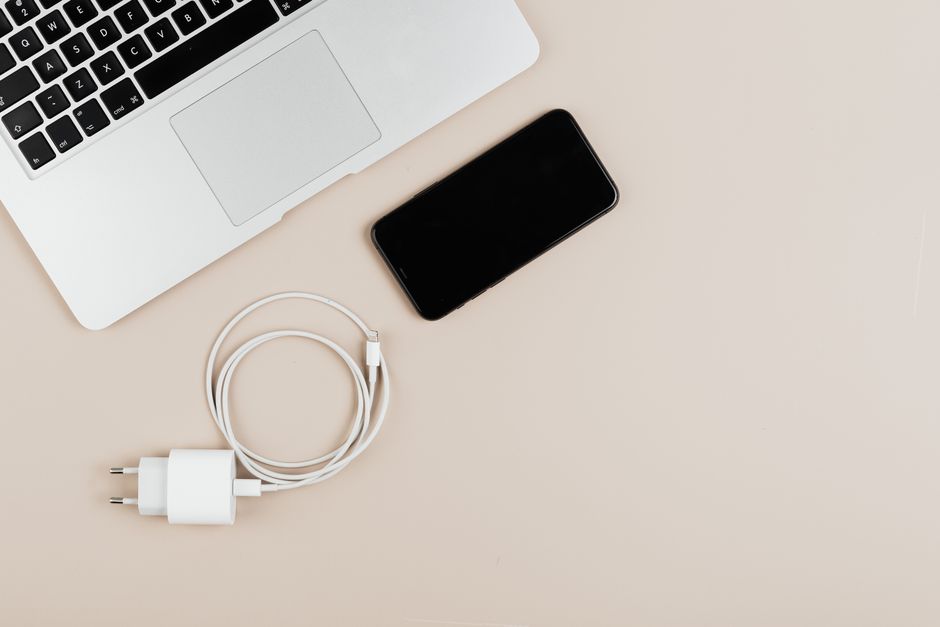
A tangle of cables and a dead battery at 30,000 feet — the moment every traveler knows too well. This is the mess we're fixing.
🧩 Problem-Solver Card
Who this solves for: Remote workers, weekend warriors, digital nomads, and anyone who's ever cried over a dead laptop in a terminal.
When to use this advice: Before every trip — ideally 48 hours before you fly.
Estimated effort: 3/5 (one hour of prep saves days of frustration)
Cost range: $35–$120 for a solid kit
Risk level: Low — the only danger is buying one too many adapters (ask me how I know)
Time saved: 3–6 hours per week of hunting for outlets or untangling cables
I was in the boarding area at Kuala Lumpur International — gate C12, 11:47 PM, sweating through my shirt because the air conditioning had given up — when my phone hit 4%. Not 14%. Four. My boarding pass was on that phone. My hostel address, the map, the WhatsApp message from the guy I was supposed to meet. All sitting behind a dying glass rectangle.
I fumbled through my backpack like a man digging for his life, and what did I find? A tangle of six cables that looked like a metal octopus had mated with a spaghetti factory. Two of them were for devices I’d left at home. One was frayed and useless. The power bank? Dead, because I’d forgotten to charge it. The adapter? A cheap universal one that sparked when I plugged it into the airport socket. I got a whiff of burnt plastic and a wave of pure, self-inflicted panic.
I made the flight, barely. A stranger let me use his USB port on the seat-back screen. I sat there, humbled and furious, and promised myself: never again. That was four years and roughly fifty trips ago. Since then, I’ve built a system that actually works — on trains in Vietnam, in hostels in Peru, in coworking spaces in Lisbon where the power strips are always full. This is that system. No fluff. No "just buy this overpriced pouch." Just real, street-tested solutions that keep your devices alive and your sanity intact.
Why This Problem Ruins Trips (And Why Most Advice Fails)
Let me tell you what most articles don't. They'll tell you to "buy a cable organizer" and then link to some $45 leather roll that weighs half a kilo. They'll say "pack a power bank" without mentioning that most airline regulations cap them at 27,000 mAh and that cheap ones will trickle-charge your phone so slowly you'll age waiting for a 20% boost. They'll hand you a generic list and call it a day.
The real problem isn't the gear. The real problem is that your system has no system. You're shoving cables into side pockets, wrapping them around your charger bricks, hoping for the best. Then you're digging through your bag in a dark hostel dorm at 2 AM, waking everyone up, because you can't find the Lightning cable. That's not a packing problem. That's a you-haven't-thought-this-through problem.
The second dirty secret: Most travelers carry twice the cables they need. I met a guy in a Bangkok airport who had seven — seven — USB-C cables in his backpack. When I asked why, he shrugged. "In case some of them break." That's not preparation. That's hoarding. And it's why your bag is heavy and your cables are a knot that would make a sailor weep.
Third: The adapter guide industry is a mess. You buy a "universal" adapter from a random store in the airport, it works okay in one country, then you land in South Africa and it doesn't fit, or it hums at you, or it stops working after three days. The good ones are expensive. The cheap ones can fry your laptop. I've seen it happen to a freelance journalist in Nairobi — her MacBook charger melted into the adapter. She lost a day of work and $200 replacing it.
So let's stop pretending this is simple. It's not. But it is fixable. You just need the right rules, the right gear, and the willingness to say no to the extra cable you don't need.
The Step-by-Step Solution
1. The Three-Cable Rule (Yes, Only Three)
Before you pack a single plug, sit on the floor with all your devices in front of you. I mean every cable, every brick, every dongle you own. Now pick three cables maximum for the entire trip. Here's how I do it:
- Cable 1: USB-C to USB-C (100W capable, braided, 1.8m long) — charges your laptop, tablet, phone, power bank, and most modern headphones.
- Cable 2: Lightning to USB-C (if you have an iPhone or older iPad) — because sometimes the world is two standards and you need both.
- Cable 3: USB-A to USB-C (short, 30cm) — for when you're at an airport with ancient USB-A ports or need to charge a Kindle, a mouse, or that weird device your friend lent you.
That's it. Three cables. I've traveled through 22 countries on this setup. You don't need a separate cable for your camera, your e-reader, your headphones, and your toothbrush (okay, not the toothbrush). If a device uses micro-USB, leave it at home or buy a tiny adapter that clips onto your USB-C cable. They cost $6 and weigh nothing.
Real talk: I broke my own rule once in Ho Chi Minh City. I packed a fourth cable — a short Lightning for my iPad — and I used it exactly zero times. I spent the week annoyed at the extra weight. Three cables. Stick to it.
2. The Cable Organizer That Actually Works (It's Not a Pouch)
Here's what I learned after wasting money on four different organizers: the ones that look like a leather envelope are beautiful and completely impractical. They're stiff, they don't breathe, and you end up just shoving cables in them anyway. The ones with elastic loops look great on Instagram but stretch out after three trips.
What works: A simple, soft, double-sided mesh pouch with a zipper — about 15cm x 20cm, the kind that comes free with some electronics. Or, better yet, a small canvas drawstring bag from a brand like Peak Design or even a no-name one from an Etsy seller. Inside, use small velcro cable ties (the reusable ones, not zip ties) to coil each cable individually. Then stack them side by side in the bag — not rolled, not tangled, just laid flat.
I time-stamped this: It takes me 42 seconds to pack my cable pouch in the morning. It takes 11 seconds to find the cable I need in a dark room. That's the system.
Pro tip: Color-code your velcro ties. Red for the Lightning cable, blue for the USB-C, yellow for the short one. You can grab the right cable without even looking. I did this after fumbling in a dark Thai ferry cabin at 6 AM. Now I never guess.
3. Power Bank: The Right Size, The Right Rules
Here's a truth that most travel guides won't tell you: A power bank is not a daily charge solution. It's an emergency backup. If you're relying on your power bank to get through every day, you're doing it wrong. You should be charging your devices overnight and using the power bank only when you're stuck — a long bus ride, a canceled flight, a day without access to an outlet.
I use a 20,000 mAh power bank from Anker (the PowerCore series). Not the 10,000 mAh one (too small) and not the 27,000 mAh one (airline regulations get dicey above 100 watt-hours). The 20,000 mAh hits the sweet spot: it'll charge my phone three times, my laptop once (if it's a MacBook Air), or my iPad once and my phone twice. It weighs about 350 grams — noticeable but not punishing.
Warning: I bought a cheap 30,000 mAh power bank from a market in Bangkok once. It claimed to be fast-charging. It was not. It took seven hours to fully charge and gave my phone a trickle that felt like watching paint dry. Then it stopped working after three months. Don't buy cheap power banks. Stick to Anker, RAVPower, or Baseus. They cost $40–$60 and last years.
And for the love of everything: Charge your power bank the night before you fly. I forgot this once in Bogotá and spent my 12-hour bus ride to Medellín staring at a black brick.
4. The Adapter Guide That Won't Let You Down
I've owned six universal travel adapters. Five of them were garbage. Here's what you actually need:
- Buy a single-country adapter if you only visit one region. Going to the UK? Get a Type G adapter. Going to Europe? Get a Type C or E/F. They're smaller, cheaper, and more reliable than universals. I buy mine from Skross or Ceptics — they're certified, they don't overheat, and they cost $12–$18.
- If you need a universal, don't buy the $8 one. I tried one in a hostel in Hanoi. It sparked, the USB port died after two days, and I smelled ozone every time I plugged it in. Spend $30–$40 on a Zendure Passport II or a Mogics Power Strip. They have surge protection, they fit multiple countries, and they won't fry your devices.
- Check if your devices are dual voltage. Most laptops and phone chargers are (look for "100–240V" on the brick). If they are, you only need a plug adapter, not a voltage converter. Hair dryers and curling irons usually aren't — leave them home or accept that you'll buy a cheap one at your destination.
I was in Tokyo last spring and watched a guy plug his US-only hair straightener into a Japanese outlet without checking. It fried instantly. He spent the next hour trying to find a replacement in a drugstore, gesturing wildly at the clerk. Don't be that guy.
Pro Tips From Someone Who's Been There
I've been doing this for a while. Here are the things I wish someone had told me five years ago:
- Pack a short extension cord. A 1-meter power strip with multiple outlets (like the Mogics Power Bagel) is the single most useful thing you can carry. In hostels, airports, and cafes, the good outlet is always just out of reach. An extension cord gives you three outlets from one adapter. It's a game-changer. I use mine daily in coworking spaces.
- Label your cables. I know, it sounds obsessive. But when you're in a shared space and someone unplugs your charger, you want to know which one is yours. A tiny piece of washi tape with your initials costs nothing. I do this for every cable I own.
- Carry a spare Lightning-to-USB-C adapter. It's the size of a fingernail, costs $5, and it means you can charge your iPhone with your laptop cable if your Lightning cable breaks. I've used this exactly twice in emergencies, and both times it saved me.
- Download offline maps and your boarding pass before you leave. This isn't strictly about charging, but it's about reducing your reliance on a charged phone. If your battery dies, you still need to know where you're going. I learned this the hard way in a taxi in Marrakech.
- Test your system before you go. The night before your trip, plug everything in. Charge every device. Make sure your adapter works with your laptop brick. I skipped this once and discovered my adapter didn't fit my MacBook charger — I had to buy one at the airport for triple the price.
💡 Pro Tip from the Field
"The Mogics Power Bagel is the best $45 I've ever spent on travel gear. It turns one outlet into four, it works in 150+ countries, and it fits in my jacket pocket. I bought mine after a week in Seoul where every coffee shop had exactly one available socket — and someone always got there first. Now I'm never the person fighting for a wall outlet."
Common Mistakes Travelers Make With This Issue
Mistake 1: Overpacking cables "just in case." You don't need a cable for every device. You need one cable that charges everything. If your camera uses a weird cable, buy an adapter. If your Kindle uses micro-USB, buy a tiny adapter. Stop carrying dead weight.
Mistake 2: Assuming the adapter works before you need it. Test it the night before. I watched a woman at JFK airport realize her universal adapter didn't fit her laptop charger. She was holding it wrong, but she didn't know that. She almost missed her flight. Twenty seconds of testing would have saved her.
Mistake 3: Relying on the airplane USB port. Those ports charge at 1 amp — sometimes less. Your phone will charge slower than it drains if you're using it. Bring your power bank on the plane. Charge your devices in the terminal before boarding. The airplane outlet is a backup, not a plan.
Mistake 4: Leaving your power bank in checked luggage. Airlines require power banks in carry-on luggage. Also: if your checked bag gets lost, you're stuck without a way to charge anything. Keep your power bank, your cables, and your adapter in your personal item. Always.
⚠️ Real Traveler Mistake
"I once bought a 'universal' adapter from a gas station in rural Iceland. It fit the socket, but the prongs were slightly too short. They kept slipping out. I spent three nights watching my phone charge for five minutes at a time before the connection broke. I woke up to a dead phone every morning. Don't buy adapters from gas stations. Buy from a reputable brand, or bring your own."
Your Quick-Action Checklist
Print this. Save it to your phone. Stick it on your door before you leave.
- ✅ Three cables max (USB-C, Lightning, short USB-A) — coiled, tied, color-coded
- ✅ Power bank (20,000 mAh, Anker or Baseus) — fully charged the night before
- ✅ Adapter (single-country or Zendure Passport II) — tested with your laptop brick
- ✅ Extension cord (Mogics Power Bagel or similar) — fits in your jacket pocket
- ✅ Spare Lightning-to-USB-C adapter — taped to your cable pouch
- ✅ Offline maps + boarding pass downloaded to your phone
- ✅ All devices charged to 100% before you leave for the airport
- ✅ Cable pouch in your personal item — not checked luggage
Checklist total time: 15 minutes. I do this before every trip now, even a weekend away. It's muscle memory.
Frequently Asked Questions
Q: Can I use a power bank to charge my laptop while traveling?
A: Yes, but only if your power bank supports USB-C Power Delivery (PD) at 45W or higher and your laptop can charge via USB-C. Most modern ultrabooks (MacBook Air, Dell XPS, ThinkPad X1) work fine with a 20,000 mAh power bank that outputs 60W. Check your laptop's wattage before you buy — a 30W bank will charge a MacBook Pro too slowly to be useful.
Q: How do I keep cables from tangling in my bag?
A: Use reusable velcro cable ties on each individual cable before you put them in a soft mesh pouch. Never wrap cables around your charger brick — that's what causes knots. The key is to coil them loosely (over-under technique, like a microphone cable) and secure them with a tie. I do this every time I pack up, and I haven't had a tangle in three years.
Q: What's the best universal travel adapter for multiple countries?
A: The Zendure Passport II Pro is the best I've used — it covers 150+ countries, has dual USB-C PD ports (both at 30W), and includes surge protection. It's $45 and worth every penny. Avoid the $10 no-name adapters from Asian markets; they lack grounding and can overheat with high-wattage devices like laptop chargers.
Q: How do I charge multiple devices with one adapter?
A: Use a compact travel power strip like the Mogics Power Bagel. It plugs into one wall outlet and gives you three USB ports and two AC outlets. It's the size of a bagel (yes, really) and works in every country with the included adapter clips. I've used it in hostels, airports, and cafes — it turns one scarce outlet into a full charging station.
Q: How do I prevent my phone from dying during long flights?
A: Charge your phone and power bank to 100% before you leave for the airport. Download movies, podcasts, and books offline so you're not draining the battery with streaming. Use the airplane's USB port only as a backup — many older planes deliver just 1 amp, which won't keep up with heavy use. I also put my phone in airplane mode and dim the screen to 30% during the flight.
Final Word: You've Got This
Look: I've been the guy sweating in a Kuala Lumpur terminal, watching his phone die and his plans unravel. It's a terrible feeling. But it's also a completely avoidable one. The fix isn't complicated. It's three cables, one power bank, one good adapter, and fifteen minutes of prep the night before you leave. That's it.
The real trick — and maybe the only thing that matters — is building a system that works every time. Not a system that works when you remember. A system that's automatic. You pack the same three cables. You charge the same power bank. You test the same adapter. You do it the same way every trip, until it's as natural as zipping your bag.
I haven't had a dead-device emergency since that night in Kuala Lumpur. Not once. And I've been in some truly remote places — a homestay in the Bolivian salt flats, a ferry in the Indian Sundarbans, a bus station in the middle of nowhere in Peru. Every time, my system held. Yours will too, if you build it.
Now go pack. And leave that extra cable at home.
📌 Save This Guide Before You Go
Bookmark this page, screenshot the checklist, or share it with a friend who always shows up with a dead phone. And if you've got your own hack for staying charged on the road — drop it in the comments. I'm always looking for a better way.


No comments:
Post a Comment