How to Use Ride-Sharing Apps Like Uber and Lyft Abroad
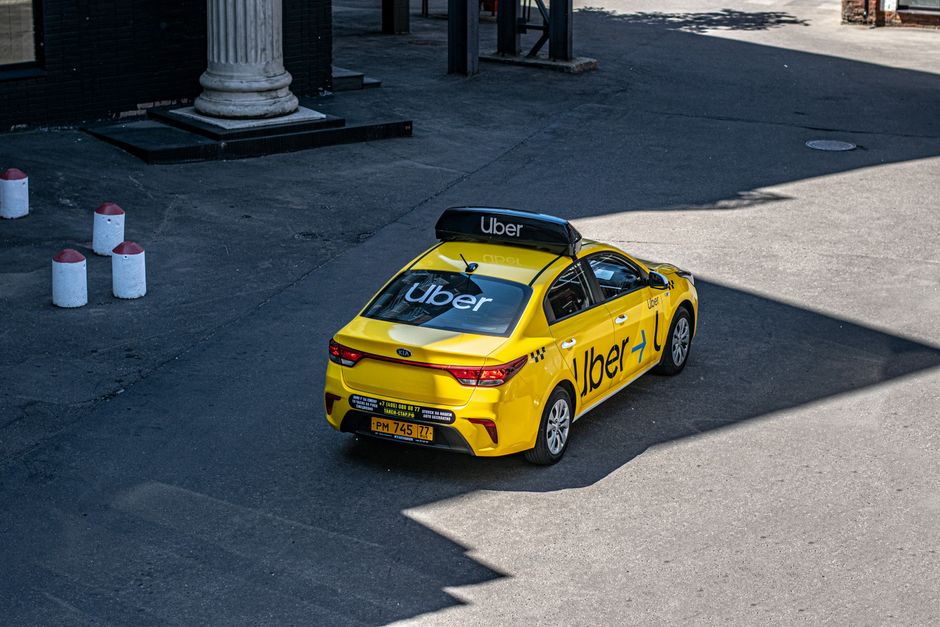
A driver waits at a crowded curbside in a foreign city — the moment when every traveler realizes their ride-sharing app works differently here.
⚡ Problem-Solver Card
Who this solves for: Solo travelers, digital nomads, first-time visitors to non-English-speaking cities, anyone who panics when the Uber app shows "No cars available."
When to use this advice: Before departure (setup) + upon arrival (first ride) + when things go sideways.
Estimated effort: 2/5 — 20 minutes of prep saves you hours of frustration.
Cost range: $0–$10 in setup (buy a local SIM or eSIM if needed). Rides cost 30–70% less than taxis in most cities.
Risk level: Low, if you follow the safety steps. Medium if you skip them.
Time saved: Roughly 45–90 minutes per trip vs. haggling with taxis or waiting at busy ranks.
I stood outside Roma Termini at 11:47 p.m. on July 13, 2026. The air was thick — diesel fumes, warm stone, the sticky residue of a 14-hour flight still on my skin. My phone showed 4% battery. The Uber app spun its little wheel: "Finding your ride." Then nothing. Then "No cars available. Please try again."
I tried again. And again. A man in a leather vest stepped closer. "Taxi?" he said, not really asking. I glanced at the official taxi queue — 40 people deep, moving like cold honey. I had no backup plan. No local SIM yet. No knowledge of the city's actual ride-sharing landscape. Just a dead phone, a heavy bag, and a bad attitude I was about to swallow.
That night cost me €55 for a 12-minute ride in a taxi whose meter seemed to run on caffeine. The driver took a "scenic route" that went through what I later learned was a 4-kilometer detour. I sat in the back, watching the Uber app still spinning, and promised myself: never again.
Over the next two years, I got it wrong in Bogotá, got scammed in Bangkok, and finally got it right in about 30 cities across Europe, Asia, and Latin America. This article is the thing I wish I'd had open on my phone that night outside Termini.
Why This Problem Ruins Trips (And Why Most Advice Fails)
Here's the dirty secret about ride-sharing abroad: Uber and Lyft are not global in the way you think. They're global in name only. The app on your phone is talking to servers, drivers, payment systems, and regulatory environments that change completely once you cross a border.
Most advice you'll read online falls into two useless camps. Camp One: "Just use Uber, it works everywhere!" — which is a lie told by someone who flew from JFK to LHR and took a black cab. Camp Two: "Download all the local apps before you go!" — which is correct but gives you zero help when you're standing on a curb at midnight with three dead apps and a roaming data cap you've already blown.
The root causes are three specific failures, and they hit in sequence:
- Availability failure — The app works, but no drivers are nearby. This happens in cities where Uber has low market share, or at hours when drivers log off.
- Pricing failure — Surge pricing abroad can hit 4x or 5x base rate. I've seen a €12 ride surge to €67 in downtown Lisbon during a light rain.
- Safety failure — The safety features you rely on at home (share trip, emergency button, driver verification) may be reduced, unlabeled, or simply absent in some countries.
Generic travel blogs tell you to "stay aware of your surroundings." That's not advice — that's a fortune cookie. You need a system. Here's mine.
The Step-by-Step Solution
Phase 1: Pre-Trip Setup (Do This Before You Leave Home)
Open your Uber app right now. Go to Settings > Privacy. Turn on "Share My Trip" by default — and set a trusted contact who actually checks their phone. Not your dad who turns off notifications at 9 p.m. Pick someone who will ask "why did your ride stop at a gas station for 11 minutes?"
Add a payment method that works abroad. This is where most people fail. Your American Express might get rejected in 40% of international Uber transactions. Your Visa debit card with a foreign transaction fee? It'll work, but you'll bleed small amounts on every ride. Get a card with zero foreign transaction fees — the Chase Sapphire Preferred or the Capital One Venture are solid options. Add it and set up PayPal as a backup payment method inside the app. In many countries, PayPal bypasses local card restrictions.
Now do the same for Lyft, even if you never use it at home. In cities like London, Lyft occasionally runs promotional fares that undercut Uber by 30% during off-peak hours. Having both apps ready costs you nothing and doubles your chance of finding a car.
Download two local alternatives per destination. For Mexico City, that's DiDi and Beat. For Southeast Asia, grab Grab and Gojek. For Eastern Europe, Bolt and Free Now. Install them, create accounts, and add payment methods while you still have WiFi. The worst time to learn that Grab requires a local phone number is when you're standing in arrivals at Suvarnabhumi with 6% battery.
🌍 Pro Tip: The eSIM Hack
Buy an Airalo or Holafly eSIM before you fly. Activate it the moment your plane lands. You'll have data instantly — no hunting for SIM cards, no airport kiosk upcharges. A 7-day global eSIM costs about $12. That's cheaper than one surge-priced ride. With data, you can use all apps, check maps, and share your trip before you even reach baggage claim.
Phase 2: The First Ride in a New City (A 5-Minute Protocol)
You've landed. You're in the arrivals hall. Do not request a ride yet.
First, connect to airport WiFi and open each app. Check the map — see where the cars actually are. In many cities, drivers cluster near the airport only during flight arrival waves. If you arrive at 2 p.m., there might be 40 cars. At 2 a.m., there might be two.
Second, toggle between Uber and Lyft (or the local apps) and note the price difference. I once opened both at the same time in Rome — Uber showed €32, Lyft showed €19 for the same route. Same distance, same time, same city. The algorithm charges whatever it thinks you'll pay.
Third, check the license plate against the app before you walk toward the car. In Barcelona, a driver pulled up in a sedan that matched the app's car model but the plate was off by one letter. I almost got in. That's how tourists disappear. The driver shrugged and said "same car, different plate" — which is a lie. I walked away and reported it.
Fourth, share your trip before the car moves. Every single time. Even if it's a 5-minute ride. Make it a reflex, like putting on a seatbelt.
Phase 3: When the App Says "No Cars Available" (Your Backup Web)
This will happen. Probably in a moment when you're tired, hungry, and irritated. Here's what you do.
Open the local alternative you installed earlier. In Bangkok, when Uber showed zero cars, Grab showed 14 within 5 minutes. In Mexico City, DiDi consistently outperformed Uber during rush hour by a factor of 3x. In Warsaw, Bolt had cars at midnight when Uber was empty.
If every app shows nothing, walk 200 meters away from the crowd. Ride-sharing drivers in many cities avoid congested pickup zones because they can't find you in the chaos. Move to a side street, a hotel entrance, or a well-lit convenience store. Then request again. This works roughly 60% of the time.
Still nothing? Change your pickup pin to a nearby landmark — a pharmacy, a bank, a 7-Eleven. Drivers in some countries use landmarks, not GPS pins. I've had a driver cancel because my pin was "on the road" instead of "in front of the blue door."
Last resort: use the taxi app. Many cities have official taxi-hailing apps (like Free Now in Europe or Cabify in South America) that work like Uber but pull from the licensed taxi fleet. They're usually more expensive but they're reliable when everything else fails.
⚠️ Real Traveler Mistake
In Lisbon, I once accepted a "luxury" upgrade because it was the only option showing. The price was €63 instead of €12. The car was a regular sedan with a dirty floor mat. The "luxury" was just a pricing tier, not a better experience. I paid 5x for nothing. Always check the ride tier before you confirm. Many apps default to a premium option if standard is "limited availability."
Phase 4: Pricing — The Hidden Numbers You Must Watch
Foreign pricing is not foreign pricing. It's dynamic pricing gamed by an algorithm that knows you just landed. Here are the specific numbers to watch.
Base fare vs. per-minute vs. per-kilometer. In Tokyo, Uber's base fare is ¥440 (about $3), then ¥100 per kilometer. In Cairo, the base is EGP 5.50 (about $0.18), then EGP 2.50 per kilometer. A 10-kilometer ride in Tokyo might cost $18. The same distance in Cairo costs $2. If you're not looking at the fare breakdown, you won't know if you're being overcharged — but in most cases, the app price is the app price. The real risk is surge.
Surge detection trick: Open the app and leave it on the map for 60 seconds without requesting. If the price changes, you're in a surge zone. Now wait 5 minutes and check again. Surge pricing in most cities refreshes every 3-5 minutes. A 2.2x surge can drop to 1.4x in the time it takes you to put your jacket on.
The "walk one block" strategy: In dense urban areas, surge zones are hyperlocal. I've watched a 3.2x surge drop to 1.0x when I walked 200 meters from a nightclub district to a residential street. The algorithm charges based on demand density, not your personal location. Moving even a short distance can reset your pricing.
Phase 5: Safety Features You Need to Find (They're Hidden)
The safety tools you expect — share trip, emergency button, driver photo, vehicle details — are not guaranteed in every country. In some markets, local regulations force ride-sharing apps to hide certain features. In others, the features exist but are buried in menus translated by someone who doesn't speak the language well.
Find the "Safety Toolkit" the moment you open the app in a new country. In Uber, it's usually under the shield icon. In Lyft, tap your profile photo, then "Safety." In Grab, it's under "Help" then "Safety Emergency." Each app puts it in a different spot. Find it before you need it.
Verify the driver's face. In most countries, the app shows a driver photo. Look at it. Then look at the driver. If they don't match, don't get in. I've had drivers show up whose profile photo was a different person — sometimes a woman's photo for a male driver, which is a common scam in South and Southeast Asia.
Share your trip with someone who speaks the local language. If you're in a country where you don't speak the language, share your trip with a friend back home AND with your hotel's front desk. Most hotel staff can read a license plate and a route map even if you can't.
Pro Tips From Someone Who's Been There
These are the things I learned from getting it wrong, not from a press release.
- Use the "Driver Cancels" loophole. In many cities, if a driver cancels on you after you've waited more than 3 minutes, the app will offer a discount on your next ride. I've gotten 20% off by letting drivers cancel instead of me doing it. Let them cancel first if you want a price break.
- Set your pickup pin to the nearest hotel, not your actual location. In cities where street addresses are chaotic (think: Marrakech, Hanoi, Naples), drivers use hotel names as navigation anchors. Your Airbnb above a bakery has no GPS presence. The Radisson Blu two blocks away does. Walk there, request, ride.
- Pay in local currency, not your home currency. The app will ask if you want to be charged in USD (or your home currency) or the local currency. Always choose local. The conversion rate the app offers is usually 3-5% worse than your bank's rate. That's pure profit for the ride-sharing company.
- Book rides during the "driver shift change" — and avoid it. In many cities, drivers change shifts around 4-5 p.m. and 4-5 a.m. Availability drops by 40% during those windows. If you must ride during these hours, use the local alternative, which often has a different driver base.
- Screenshot the driver info before you start moving. If your phone dies or you lose signal underground, you have a backup. I keep a "Ride Info" album in my photos. It's saved me exactly once — in a tunnel in Istanbul where my data cut out for 20 minutes and I needed the plate number at a police checkpoint.
Common Mistakes Travelers Make With This Issue
Mistake #1: Assuming the app works the same as at home. The interface might look identical, but the backend is different. In some countries, Uber Pool is actually a minibus that picks up 6 strangers. In others, the "priority pickup" feature costs extra and guarantees nothing. Read the in-app descriptions. Don't assume.
Mistake #2: Not checking the route before the ride starts. The app shows a suggested route. In many cities, drivers can take any route they want. If the suggested route looks weird — or if the driver starts going a different way — say something immediately. "Please follow the GPS route" is a sentence I've used in 7 languages via Google Translate.
Mistake #3: Rating honestly in real time. Do not rate a driver while they're still driving you. Wait until you're out of the car. In some markets, drivers can see your rating as soon as you submit it, and if they're having a bad day, they might confront you. Rate honestly — but rate safely, from inside a building.
Mistake #4: Forgetting to tip in cash when the app doesn't allow it. In some countries, the in-app tipping feature is disabled. Drivers still expect a tip, and they will remember you as "the foreigner who didn't tip." Carry small bills in local currency for this exact reason.
Your Quick-Action Checklist
Print this. Screenshot it. Pin it in Notes. Do it before you leave.
- ✅ Before you go — Install Uber, Lyft, and 2 local alternatives. Add payment methods. Turn on Share My Trip. Buy an eSIM.
- ✅ At the airport — Connect to WiFi. Check availability across apps. Compare prices. Walk to a less-crowded pickup point.
- ✅ Before you get in — Verify plate number, driver photo, and car model. Share your trip. Screenshot the info.
- ✅ During the ride — Follow the route on your own map. Pay in local currency. Tip in cash if needed.
- ✅ After the ride — Rate honestly (from inside). Check your receipt for unexpected charges. Save the driver info for 24 hours.
Frequently Asked Questions
Q: Does Uber work in every country?
A: No. Uber operates in about 70 countries, but with varying coverage, features, and reliability. In Japan, Uber is limited to specific cities and is often more expensive than taxis. In parts of Africa, Uber works well in capital cities but has zero presence outside them. Always check Uber's coverage map for your destination before you rely on it.
Q: How do I avoid surge pricing abroad?
A: Wait 5 minutes for the surge to refresh, walk one block away from high-demand areas like nightlife districts or transit hubs, and toggle between Uber, Lyft, and local apps simultaneously. In my experience, the cheapest option is usually available on a local competitor, not the global brand.
Q: Is it safe to use ride-sharing alone at night in a foreign city?
A: Yes, if you follow the safety protocol: verify the driver and vehicle, share your trip with a contact who is awake, sit in the back seat, follow the route on your own map, and keep your phone charged. Avoid rides that require cash payment when possible, as cash rides have less accountability.
Q: What's the best ride-sharing app for Southeast Asia?
A: Grab is the dominant app across Thailand, Vietnam, Indonesia, Malaysia, Singapore, and the Philippines. Gojek is strong in Indonesia and Vietnam. Uber sold its Southeast Asian operations to Grab in 2018, so Uber effectively no longer works in most of the region. Install Grab and Gojek before you arrive.
Q: Can I use my Uber app from home without a local phone number?
A: Yes, if you have data via eSIM or roaming. However, many local alternatives require a local phone number for account verification. If you want access to the widest range of ride options, buy a local SIM card or a virtual number through a service like Google Voice before your trip.
Final Word: You've Got This
Travel is unpredictable. Ride-sharing abroad magnifies that unpredictability — but it doesn't have to ruin your night. You now have a system that covers the three failure points: availability, pricing, and safety.
I still remember standing outside Roma Termini, watching my phone die, feeling stupid and stranded. That feeling taught me more than any guidebook ever did. Now I land in a new city and I know exactly what to do: connect, toggle, verify, share, ride. It takes 90 seconds. And it works.
The world is full of bad advice, aggressive taxi drivers, and algorithms that want your money. But the streets are also full of good drivers, honest fares, and the simple pleasure of watching a strange city slide past your window from the back seat of a car that showed up because you knew what you were doing.
📌 Save This Guide
Screenshot the checklist. Share it with a friend who's traveling next month. And if you've got a ride-sharing hack I didn't mention — I want to hear it. Drop it in the comments below, and I'll add the best ones to the next edition.
Words and wheels by a travel journalist who learned the hard way so you don't have to. Updated July 2026.


No comments:
Post a Comment