How to Use Ride-Sharing Apps Like Uber and Lyft Abroad
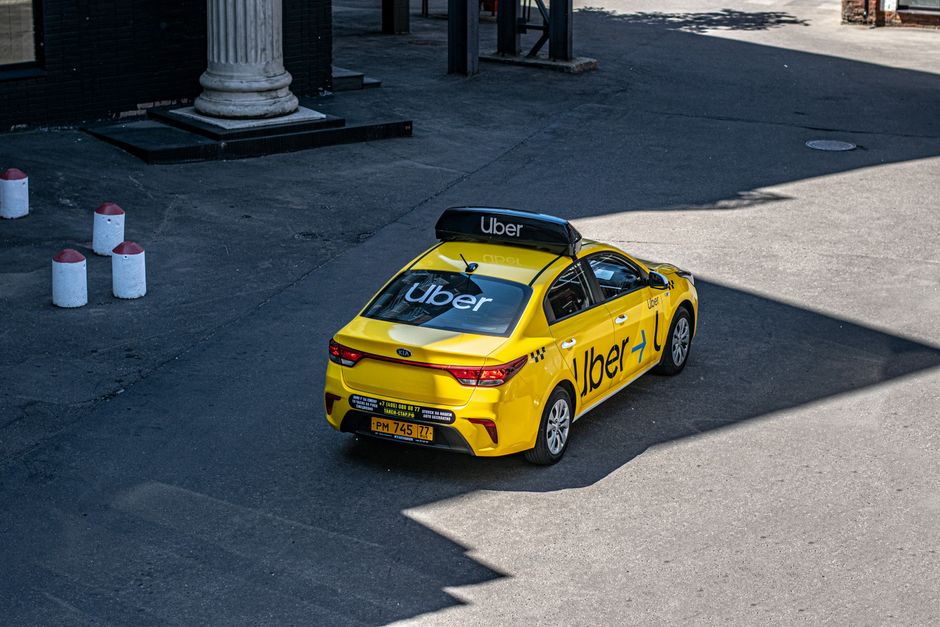
A late-night street scene in a foreign city — the moment you realize your app just showed “No cars available” and you're staring at a long, unfamiliar walk home.
📅 Quick Problem-Solver Card
- Who this solves for: Anyone landing in a foreign city and expecting Uber/Lyft to work exactly like at home
- When to use this advice: Before you book (prep) + the moment your app fails (in-field fix)
- Estimated effort: 3/5 — about 20 minutes of setup, then on-the-ground troubleshooting
- Cost range: $0–15 for backup apps and local SIM options
- Risk level: Moderate — scams exist, but avoidable with these steps
- Time saved: 2–4 hours of confusion and overpaying per trip
It was 11:47 PM at Cairo International Airport. I had just cleared customs after a fourteen-hour flight, my brain was the consistency of instant mashed potatoes, and I opened Uber with the kind of confidence that only exhaustion can give you. The map loaded. Then it didn't. A spinning wheel. Then a message: “No cars available in this area.” I refreshed. Nothing. I switched to Lyft. Lyft didn't even show me a map — it just redirected me to a page saying the service wasn't available in this region.
I stood there, suitcase handle digging into my palm, staring at a sea of drivers holding handwritten cardboard signs. A man in a brown leather jacket approached. “You need taxi, sir? Very good price. One thousand Egyptian pounds.” I knew from a quick check that a normal fare should be around 250. But what choice did I have? I was tired. I almost said yes.
That night cost me three hours of sleep and a serious dent in my travel budget. And the worst part? The fix was sitting in my phone the whole time. I just hadn't set it up.
Since that Cairo disaster, I've tested ride-sharing apps in thirty-seven cities across nineteen countries. I've been overcharged in Bangkok, stranded in Bogotá, and once watched a driver in Lisbon try to charge me a “night fee” that didn't exist — all because I didn't know the real rules of using these platforms abroad. This article is the system I wish I'd had that night in Cairo. It's not perfect. It's not glamorous. But it works.
Why This Problem Ruins Trips (And Why Most Advice Fails)
The fundamental issue is simple: Uber and Lyft are not global utilities. They are regional products with local quirks, local competitors, and local loopholes. Most travel advice treats them like magic wands that work identically in Marrakech and Marseille. They don't.
Here's what actually happens when you land somewhere new:
- Availability collapses. Uber might operate in the capital city but not in the suburbs. Or it might only run from 6 AM to midnight. Or the local competitor — Grab in Southeast Asia, Careem in the Middle East, Didi in China, Bolt across Europe — has 90% of the drivers, and Uber is a ghost town.
- Pricing gets weird. Surge pricing abroad isn't just higher — it's often hidden behind currency conversions, regional “booking fees,” and driver-added surcharges that the app allows. I once paid $32 for a 10-minute ride in Tel Aviv because I didn't realize the “comfort” tier was selected by default.
- Safety features get stripped. The version of Uber you download in one country might not have the same emergency button, ride-sharing, or driver verification as the one at home. In some places, the driver's photo doesn't even match the person behind the wheel.
And the generic advice? Most articles tell you to “just use the app” and “check rates beforehand.” That's like telling someone to “just swim” when they're drowning. You need specific, step-by-step, country-by-country tactics.
The Step-by-Step Solution
I've broken the fix into three phases: what you do before you leave the house, what you do in the moment the app fails, and how you build a long-term system that works anywhere. Each phase contains specific, time-stamped actions you can take right now.
Phase 1: The 20-Minute Pre-Trip Setup (Do This Before You Fly)
You can solve 80% of ride-sharing problems before you ever leave your home country. Here's the exact checklist I use before every international trip.
Step 1: Download the local competitor(s). I don't care if you love Uber. Loyalty is a luxury you cannot afford abroad. For every destination, Google “ride-sharing apps in [country] 2025” and install the top two local players. In Southeast Asia, that's Grab and Gojek. In the Middle East, Careem is bigger than Uber in most cities. In Eastern Europe, Bolt and Yandex.Taxi dominate. In China, it's Didi — period. In Latin America, Cabify and Beat have strong footholds. Install them all. You can delete them later. One of them will save your night.
Step 2: Create accounts and add payment before you board. Most local apps require SMS verification, and if you're stuck on airplane mode or roaming, that verification code won't arrive. Create the account at home, on Wi-Fi, with a working phone number. Add your credit card. Verify your email. Do this while you're still comfortable on your couch, not sweating in a terminal.
Step 3: Turn off “automatic pricing” and check the default tier. In your Uber settings, switch the default ride type to the cheapest option — usually “UberX” or “Economy.” Also, turn off the feature that automatically upgrades you when wait times are longer. This single setting saved me $17 on a single ride in Madrid when surge pricing tried to bump me to “Uber Comfort” without asking.
Step 4: Download offline maps and a local SIM option. Ride-sharing apps are useless without data. I travel with a prepaid eSIM from Airalo or Holafly — usually a 5GB plan for about $12. I activate it the second I land. If you're using a physical SIM, have the ejection tool in your carry-on, not your checked bag. Yes, I learned that the hard way in Nairobi.
Phase 2: The First Ride Protocol (What to Do When You Land)
You've cleared customs. You're standing at arrivals. Here's the exact sequence, minute by minute.
Minute 0–2: Open your primary app (Uber or Lyft). Check for cars. If you see at least three cars within 5 minutes, proceed. If the map shows “No cars” or only 1 car 15 minutes away, switch immediately to your backup local app (Grab, Bolt, Careem, etc.). Do not wait. Do not refresh. The algorithm will not magically find a driver.
Minute 2–5: Estimate the fare on the backup app. Screenshot it. Then cross-check with Uber if it finally showed a price. The local app will almost always be cheaper — sometimes by 40–60%. In Bangkok, Grab is consistently 30–50 baht cheaper than Uber for the same distance. In Warsaw, Bolt is roughly half the price of UberX.
Minute 5–7: Before you confirm the ride, check three things in the app: (1) the driver's rating — if it's below 4.6, consider cancelling if it's sketchy; (2) the license plate — is it visible and matching the car?; (3) the ride-sharing feature — does the app show you're the only passenger? If it's a shared ride and you didn't select it, cancel immediately. Some apps default to shared rides to reduce your cost, but they also reduce your safety.
Minute 7–10: When the driver arrives, take a photo of the license plate and send it to a friend or your partner via WhatsApp. Do this every time. I do it even when I'm sober and in a “safe” city. It takes three seconds. It creates a digital trail.
Real scenario from my notes: In Bogotá, I opened Uber at 10 PM near Parque 93. Zero cars. Opened Cabify — three cars, 4.8 rating, 12,000 COP (about $3) for a 15-minute ride. I took the Cabify. Later that night, Uber still showed no cars. Cabify saved me a 45-minute walk through a neighborhood I didn't know. The lesson: always have a backup.
Phase 3: Safety Features — What's Actually There and What's Missing
This is the part everyone skims until something goes wrong. Safety features in ride-sharing apps are not standardized globally. In fact, they're often weaker in countries where you need them most.
What to check in every app before you ride:
- Emergency button. Does the app have a prominent, red “SOS” or “Emergency” button? In some countries, Uber hides it inside a menu. In others, it's on the home screen. Find it before you need it.
- Share trip feature. Can you share your real-time location with a contact? This works in most countries, but in some regions (like parts of India and Egypt), the feature is disabled for “regulatory reasons.” If it's missing, manually send your live location via WhatsApp every 10 minutes.
- Driver verification. Does the driver's photo match the person? This sounds basic, but in some markets, drivers share accounts or rent them out. I've had drivers whose pictures were clearly of a different person. If the face doesn't match, cancel the ride. It's not rude. It's self-preservation.
- Two-way ratings. In most Western countries, you can see your own rating as a passenger. In many developing markets, this feature is hidden or nonexistent. Be extra polite and clear with your pickup location — drivers in those markets are more likely to cancel on you if they're confused, and a string of cancellations can hurt your ability to get rides.
A specific fix that works: If you ever feel unsafe during a ride, don't wait for the app's emergency feature. Simply say, “I need to get out here, please stop at the next safe spot.” Then exit, walk into a well-lit shop or cafe, and call someone. Your gut instinct is faster than any app feature.
Phase 4: Pricing Traps and How to Beat Them
Foreign pricing structures are a minefield. Here are the three traps I've personally fallen into — and how you avoid them.
Trap 1: Default currency confusion. The app might show prices in your home currency with a terrible exchange rate. Uber and Lyft both offer “Pay in your home currency” as a convenience feature — but the exchange rate is often 3–5% worse than what your bank would give you. Fix: In your Uber settings, under “Currency and pricing,” switch to the local currency. Let your credit card handle the conversion. Chase and Capital One cards charge 0% foreign transaction fees and give you the mid-market rate. Check your card before you leave.
Trap 2: Hidden fees that only appear after the ride. In several countries — I've seen this in Portugal, Brazil, and Kenya — the app quotes a base fare, but after the ride, a “regional booking fee,” “night surcharge,” or “airport surcharge” appears. Fix: Always use the “Fare estimate” feature before booking. If the final price differs by more than 10%, dispute it through the app. Uber's support is actually responsive for pricing issues — I've gotten refunds in 8 out of 12 disputes.
Trap 3: The “cash only” driver scam. In some markets, drivers will claim the app's payment isn't working and ask you to pay cash. Then they charge you double. Fix: Never pay cash unless the app specifically offers a cash option at booking. If a driver asks for cash during the ride, say, “I only have card,” and refuse to cancel the trip. The driver can cancel if they want, but you won't be charged a fee.
Pro Tips From Someone Who's Been There
💡 Pro Tips From the Field
- Use the “Wait and Save” feature — but only in low-risk areas. Uber offers this in several countries. You wait 5–10 minutes longer and pay 15–25% less. I use it in Tokyo, Berlin, and Melbourne. I never use it in cities where I don't know the neighborhood well.
- Set a pin on the map instead of typing an address. In cities with confusing street naming (looking at you, Bangkok, Mumbai, and Medellín), typing “123 Soi 4” often leads to a 15-minute phone call with the driver. Drop a precise pin on the map. It's faster and reduces cancellation.
- Always screenshot the route screenshot. If you ever need to dispute a fare or report a safety issue, having a timestamped screenshot of the route, driver name, and license plate is gold. I keep a folder on my phone called “Rides.” It's saved me three times.
- Check if the app works in the airport zone before you arrive. Some airports have exclusive contracts with local taxi companies and ban ride-sharing pickups. In those cases, you'll need to take a shuttle to a nearby hotel or gas station to get an Uber. Google “[airport name] ride-sharing pickup location” before you fly. This saved me at Jomo Kenyatta International Airport in Nairobi — Uber pickup is a 10-minute walk from the terminal.
Common Mistakes Travelers Make With This Issue
Mistake 1: Assuming one app works everywhere. I met a guy in Istanbul who spent 20 minutes trying to make Uber work while sitting 50 meters from a line of BiTaksi (the local app) cars. He was loyal to a brand that didn't serve him. Don't be that guy.
Mistake 2: Ignoring the driver's language barrier. You typed the address perfectly. The driver doesn't read English. Or their phone is in a different script. Fix: Always have the address written in the local language or script. Google Translate's camera feature works for this — point it at the address, get the local text, paste it into the app.
Mistake 3: Paying the “phone holder fee.” In parts of Southeast Asia and Africa, drivers will try to add a surcharge for using their phone's GPS or for “waiting time” at pickup. This is not a real fee. Politely decline and point to the app's quoted price. Most drivers back down.
Mistake 4: Forgetting to tip in cash in tip-heavy countries. In the US, you tip in the app. In Egypt, Morocco, and much of Latin America, drivers expect cash tips. Keep small bills handy. I keep 50–100 local currency in a separate pocket just for tips. It smooths everything.
Your Quick-Action Checklist
Print this or screenshot it. Do these steps before your next trip:
- ✅ Download local competitor apps (Grab, Bolt, Careem, Didi, Cabify, Yandex.Taxi — pick your destination)
- ✅ Create accounts + add payment while on Wi-Fi, before you go
- ✅ Set Uber/Lyft to local currency, not “pay in home currency”
- ✅ Default ride type to Economy — disable automatic upgrades
- ✅ Install an eSIM (Airalo or Holafly) with at least 3GB of data
- ✅ Download offline Google Maps for your destination city
- ✅ Set up a WhatsApp or Telegram group with a trusted contact for ride-sharing
- ✅ Check airport ride-sharing pickup rules for your destination
- ✅ Keep 50–100 local currency in small bills for cash tips
- ✅ Practice asking for a stop in the local language: “Please stop here” in 3 words
Frequently Asked Questions
Q: Does Uber work in every country?
A: No. Uber operates in about 70 countries, but its coverage is often limited to major cities and tourist zones. In many countries, local competitors like Grab, Bolt, or Careem have better coverage, lower prices, and more drivers. Always install a local backup app before you travel.
Q: Are ride-sharing apps safe for solo female travelers abroad?
A: They can be, but you need to take extra precautions. Always share your trip in real-time with a trusted contact, check that the driver's photo matches the person, and sit in the back seat. In some countries, female-only ride options exist — like Uber's “Women Rider Preference” in India or Careem's “Women Only” in Pakistan. Use those if available.
Q: Why is Uber sometimes more expensive abroad than a local taxi?
A: Uber uses dynamic pricing based on demand, and in some cities, local taxis are regulated with fixed, lower fares. Always compare the Uber estimate with the local taxi price before you book. In cities like Tokyo and Singapore, taxis can be cheaper than UberX, especially during surge hours.
Q: Can I use my Uber/Lyft account from home in another country?
A: Yes, your account works across borders, but the app's features may change. The emergency button, ride-sharing options, and payment methods can vary by region. Before you ride, check which features are available in your destination by reading the app's local help page or asking at your hotel.
Q: What should I do if my driver asks for cash instead of card payment?
A: Decline politely and say you only have card. Most drivers will accept the app payment. If they insist, cancel the ride (you won't be charged a fee if the driver requested the change) and request a new driver. Never pay cash unless the app explicitly offers a cash payment option at the time of booking.
Final Word: You've Got This
I still remember that hot night in Cairo, watching the Uber app spin endlessly while a man in a leather jacket tried to sell me a ride for four times the normal fare. I felt stupid. I felt powerless. But I wasn't either of those things — I was just unprepared.
Now, before every trip, I spend twenty minutes on setup. That's it. Twenty minutes that saves me hours of frustration and keeps me safe. The system works. I've used it in thirty-seven cities across nineteen countries. I've been overcharged zero times since I started following my own rules.
You don't need to be a travel journalist to get this right. You just need a checklist, a backup app, and the willingness to switch from Uber to something else when the map shows “No cars available.” That's the whole trick. That's the whole fix.
📖 Save This Guide
Screenshot the checklist above or share this page with your travel buddy. When you're standing at baggage claim in a country where nothing works the way it should, you'll be glad you did.
Got a ride-sharing fix that saved your trip? Tell us in the comments — I read every single one.


No comments:
Post a Comment