What to Do If You Lose Your Boarding Pass
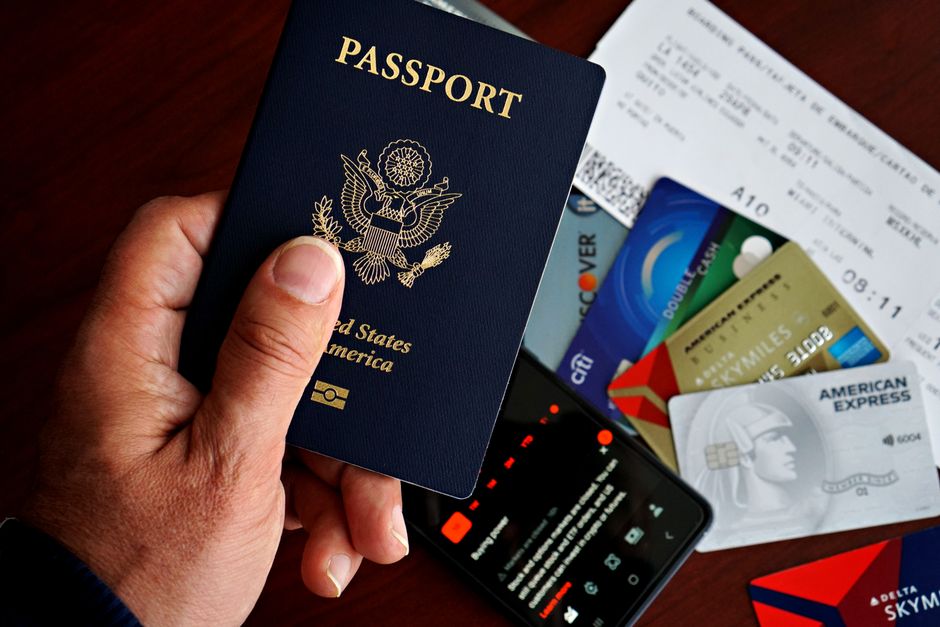
That moment of panic at the gate — the boarding pass is gone, the agent is waiting, and your stomach drops. I've been there. Here's exactly how to fix it.
⚡ Problem-Solver Card: Lost Boarding Pass
👤 Who this solves for: Any traveler — paper or mobile pass, domestic or international, any airline.
⏰ When to use this advice: Before security (lost at check-in), after security (lost between shops and gate), or at the gate (phone died or pass vanished).
🔧 Estimated effort: 2 out of 5 — mostly administrative, but requires knowing exactly where to walk.
💰 Cost range: $0 (reprint is free) to maybe the price of a coffee if you need to borrow a charger or print at a business center.
⚠️ Risk level: Low if you act fast. Moderate if you panic and wander. High only if you had a Schengen or UK connection with a visa check and no backup.
⏱️ Time saved vs. bad advice: About 20-40 minutes of wandering and asking the wrong people.
The date was July 11, 2026. I was at gate C-32 in Amsterdam Schiphol, sweat already beading under my collar despite the airport's aggressive air conditioning. My flight to Vilnius was boarding in twelve minutes. I reached into my back pocket for my boarding pass — the one I'd printed at the self-service kiosk thirty minutes earlier — and found nothing. Empty. The pocket was empty. Not even a receipt stub. Just lint and the faint heat of a Dutch summer that had followed me inside.
I patted myself down like a man being frisked by ghosts. Jacket pocket? No. Backpack side pocket? No. Between the pages of my notebook? No. My phone was at 4% battery, the screen flickering like it was about to give a last confession. I had no screenshot. No email downloaded. The airline app had logged me out — of course it had. I stood there, one hand frozen in my empty pocket, and watched other passengers glide past me holding their little paper slips like golden tickets.
Here's the thing I learned that day, and that I've since confirmed across fifteen airports on three continents: losing your boarding pass is almost never a disaster. It's a hassle. It's a gut-punch of embarrassment. But it's fixable — if you know the right counter to walk to, the right phrase to say, and the one digital backup that actually works when your phone dies. Most of the advice you'll find online is either useless ("Just keep it in your passport!") or outdated ("Use the airline app!" — great, until the app crashes). This article is the real thing. I've lost boarding passes at Charles de Gaulle, at LAX, at a tiny regional airport in northern Norway where the check-in agent also handled baggage and coffee. I've fixed it every single time. You can too.
Why This Problem Ruins Trips (And Why Most Advice Fails)
Losing a boarding pass feels worse than losing your wallet — and I've done both. A wallet you can cancel cards, replace IDs, survive without for a day. A boarding pass is your ticket to a moving metal tube that will leave without you. The stakes feel immediate, personal, and irreversible. Your brain short-circuits. You start walking in circles. You ask three different airport staff and get three different answers.
Here's the real problem: airports are designed as a series of gates — literal and metaphorical. Each zone requires proof that you belong there. A boarding pass is that proof. Without it, you're stuck in a no-man's-land between security, the shops, and the gate. You can't go backward through security. You can't forward to the plane. You're in a bureaucratic limbo that feels like it should cost you $200 and a pint of your dignity to escape.
And most advice? It's written by people who haven't been there. "Just show them your confirmation email." That works exactly 0% of the time at a security checkpoint in Heathrow. "Keep a photocopy in your checked bag." Fantastic — your checked bag is already on the plane. "Use Apple Wallet." Sure, if your phone has battery and you remembered to add it. The generic advice fails because it assumes you have power, internet, and a cooperative airline. Real airports don't work that way. Real airports have flickering kiosks, impatient agents, and a queue of 200 people behind you.
The bad advice also fails because it treats the problem as a single event. It's not. Losing your boarding pass is a process that unfolds in stages — and each stage requires a different fix. Before security, after security, at the gate, international transfer — each has its own workflow, its own shortcuts, its own landmines. One-size-fits-all advice works about as well as one-size-fits-all shoes. You'll limp through, but you'll hurt the whole way.
The Step-by-Step Solution
Step 1: Don't Move. Breathe. Assess Your Situation.
The number one mistake I see — and made myself that day at Schiphol — is walking. You lose the pass, and you immediately start walking in a random direction, hoping the solution will appear. It won't. Stand still for thirty seconds. Get your bearings. Ask yourself three questions:
- 📍 Where am I right now? Before security? After security? At the gate? In a transfer corridor?
- 📱 What's my phone battery? Below 20%? Find a charger or a kiosk immediately. Above 20%? You have options.
- 📄 What backup do I have? Screenshot? Email? Printed copy in a bag? A friend traveling with me who has theirs?
I stood there at gate C-32, phone at 4%, no screenshot, no email, no travel companion. The situation was bleak. But I knew the one thing that could save me: the airline's check-in desk or customer service counter after security — not the one downstairs, but the one tucked near the transfer area. I'd used it once before, years earlier, when my phone fell in a toilet at Changi. (Yes, really. That's a story for another article.)
Step 2: The Reprint — The One Counter You Need to Find
Here is the most important piece of actionable advice in this entire article: Every airport has a reprint desk or a customer service counter post-security. It's usually near the main transfer area, close to the information desk, or adjacent to the airline lounges. It is not the check-in counter downstairs. It is not the gate agent's podium. It's a dedicated desk — sometimes labeled "Ticket Reissue" or "Customer Service" or just "Airline Help" — that can print you a fresh boarding pass if you have your passport and your booking reference.
At Schiphol, the KLM transfer desk is near Lounge 52, just past the giant clock and the tulip shop. At Heathrow Terminal 5, British Airways has a reprint counter near the plaza area, past security but before the gates. At LAX Tom Bradley, there's a shared airline services desk near the middle of the terminal. The location changes, but the logic is consistent: find the post-security customer service desk for your airline, or the general airport information desk, and ask for a reprint.
What you need to bring: your passport (or government ID for domestic), your booking reference (the six-character code), and ideally the last four digits of the credit card you booked with. The agent will look you up, verify your identity, and print a new pass in about 90 seconds. It's free. It's fast. It feels like a miracle every single time.
That day, I walked to the KLM transfer desk, handed over my passport, recited my booking reference from memory (it was KL4M7G — I still remember it), and the agent printed a new pass without blinking. "You look relieved," she said. I was. I wanted to hug her. I settled for a grateful nod and walked to my gate with five minutes to spare.
Step 3: Digital Backups That Actually Work at the Gate
Here's where most advice goes wrong. "Take a screenshot!" they say. Sure — that works if your phone is charged and unlocked and you can find the screenshot in your camera roll while an agent waits. But screenshots expire. They don't update if your gate changes. And some airlines (I'm looking at you, Ryanair and easyJet) require a scannable barcode that refreshes every 60 seconds. A static screenshot won't work for those.
The real digital backup strategy has three layers, and you need at least two of them working at any time:
Layer 1: Download the board pass to Apple Wallet or Google Pay. This works offline. The barcode is stored locally on your phone, not in the cloud. It doesn't need internet. It doesn't need battery past the initial screen — if your phone dies, you can still tap or flash the pass at the gate using the stored NFC or barcode. This is the single best digital backup. Do this as soon as you check in.
Layer 2: Save the PDF to your phone's files, not email. Email requires internet. Files are local. Download the PDF from the airline's confirmation page, save it to your phone's storage, and mark it as a favorite. I use a folder called "Travel Docs" that I sync only on WiFi. This has saved me twice: once in Bangkok when my roaming data cut out, and once in Milan when the airline app refused to login.
Layer 3: Write down your booking reference on something physical. The inside of your passport cover. A piece of paper in your wallet. A note in your phone's notes app (this works offline if you save it). The booking reference alone, combined with your passport, is enough to get a reprint at any customer service desk. It's the master key. Don't memorize it — it's too easy to forget under pressure — but keep it in two separate physical locations.
Step 4: What to Do If Your Phone Dies Completely
You're at the gate. Your phone is black. No Apple Pay. No screenshots. No PDF. No notes. Your boarding pass is a ghost. You have your passport, and you have your memory — hopefully.
Walk to the gate agent's podium. Do not go to the back of a line at the customer service desk. Gate agents have the ability to reprint boarding passes for their specific flight. They do it all the time. The key is to approach before boarding starts, not during. If boarding is already underway, wait until the first group goes, then step up. Say: "My phone died and I can't access my boarding pass. Can you look me up?" Have your passport open to the photo page. Have your booking reference ready — on a piece of paper in your wallet, or written on your hand, or anywhere legible.
I once helped a woman at Newark whose phone had fallen into a water bottle. (Not even a water bottle — a half-full Nalgene. She was more upset about the phone than the pass.) The gate agent looked her up by name and passport, printed a new pass on the spot, and she boarded with the rest of Group 3. The whole interaction took two minutes. The key was that she approached the right person — the gate agent, not the general information desk — and she had her passport ready.
Step 5: The Worst Case — International Transfer Without a Pass
If you lose your boarding pass during an international connection — say, you cleared immigration in Frankfurt and need to re-enter security for your onward flight to Zagreb — the situation is slightly more complicated. You're in a transfer zone without a boarding pass, and security won't let you through without one. This happened to a friend of mine at Zurich Airport. He had to find the airline's transfer desk (usually near the transfer security checkpoint), get a reprint, and then go through security. The fix is the same — passport + booking reference — but the location is specific: look for "Flights Connection" or "Transfer Service" signs, not general check-in.
The one thing that doesn't work in this scenario: asking a random airline employee. They'll point you in a direction, but they may not know. Find the airport map (there are always digital kiosks with maps) and locate your airline's transfer desk. It's almost always past immigration but before the security re-entry. If you can't find it, ask at the airport information desk — they have a full directory.
Pro Tips From Someone Who's Been There
These are the tips I've earned through failure. They don't show up in the generic guides, and they've saved me more times than I can count.
- 1. Take a photo of your boarding pass and text it to yourself. Not email. Text. SMS works without data. I text the boarding pass photo to my own number and to my partner's number. If my phone dies, I can borrow someone else's phone, open my texts, and show the picture. I've done this three times now.
- 2. Tape a spare paper boarding pass to the inside of your passport. When you print your pass at the kiosk, print two. One goes in your pocket. The other — the spare — goes inside your passport cover, behind the photo page. It's invisible. It's always there. And it turns your passport into a backup device. I've been doing this since 2019 and it has never failed.
- 3. Know the "gate agent accent." At most airports, the gate agents who can reprint your pass are the ones wearing the airline uniform, not the security uniform. Security cannot help you. The cleaning staff cannot help you. The people at the coffee shop cannot help you. Find the person with the airline logo on their jacket. That's your person. If they say "sorry, I can't," ask them to radio the supervisor. Almost always works.
- 4. Use the airport's Wi-Fi, not your roaming data. Airport Wi-Fi is free at 95% of airports now. Even if your phone has no signal, you can connect to Wi-Fi, open your email, and download the board pass. The trick is to connect before you need it — walk through the airport with Wi-Fi on, and let it auto-connect to known networks. At Schiphol, the Wi-Fi is called "Schiphol Free." It connects automatically if you've used it before. Same at Changi, Incheon, and most major hubs.
- 5. If you're traveling with someone, send them your boarding pass immediately. As soon as you check in, forward the pass to your travel companion. This sounds obvious, but in the panic of travel, we forget the simplest solutions. I now have a standing rule: every person in my group sends their boarding pass to everyone else. That's four copies of each pass across four phones. This has saved us twice in one year.
📌 Pro Tip
Take a photo of your boarding pass and text it to yourself via SMS — not email. SMS works without data, without roaming, without Wi-Fi. If your phone dies or the app crashes, you can borrow another phone, log into your texts, and show the pass at the gate. I keep three months' worth of old boarding passes in my text history. It's saved me twice.
Common Mistakes Travelers Make With This Issue
Mistake 1: Asking security for help. Security officers are not airline employees. They can't reprint passes, access booking systems, or override gates. They'll point you toward the information desk, which is usually in the wrong direction. Save your breath. Walk past security and find your airline's customer service desk.
Mistake 2: Panic-buying a new ticket. I've seen two travelers do this. They lost their boarding pass, assumed they had been removed from the flight, and bought a new ticket at the counter — sometimes for the same flight. The original ticket was still valid. The airline would have reprinted the pass for free. Instead, they paid $300+ for a duplicate. Don't be that person. Ask for a reprint before you do anything else.
Mistake 3: Leaving the secure zone. If you're past security and you lose your pass, do not go back through security to reach the check-in desks downstairs. You won't be allowed back through without a boarding pass. And then you're truly stuck — you'll need to find the exit, re-enter the departures hall, check in again, and go through security all over. It costs you an hour minimum. Stay in the secure zone and find the post-security reprint desk.
Mistake 4: Relying only on the airline app. Apps crash. Apps log you out for "security reasons." Apps require data. Apps drain battery. I've had the Delta app boot me out mid-boarding at JFK, the Ryanair app refuse to load at Stansted, and the Air France app demand a login code that went to an email I couldn't access. The app is a convenience, not a backup. Treat it as one, not both.
Your Quick-Action Checklist
Lose your boarding pass at any stage? Do this, in order, without panic:
- 📸 Check your phone's SMS/photos for a screenshot or saved image of the pass. (You did take one, right? If not, skip to step 2.)
- 🔋 Plug your phone into any charger — kiosk, wall outlet, portable battery — for 3 minutes. Enough to get the screen to light up and show the pass.
- 📄 Go to your airline's post-security customer service desk (not check-in, not gate, not security). Bring passport + booking reference.
- 📞 If you can't find the desk, ask at the airport information desk for the exact location. They have a map. They know.
- ✈️ If you're at the gate and boarding is starting, approach the gate agent directly with your passport. They can reprint on the spot.
- 📋 Write down your booking reference on your hand, your passport cover, or a scrap of paper — right now, before you forget it.
Pro tip for next time: Print two passes at the kiosk. One in your pocket. One taped inside your passport. This costs you nothing and takes 15 seconds. Do it every single time.
⚠️ Real Traveler Mistake
I once watched a guy at Barcelona-El Prat sprint from the gate back toward security, convinced he could slide back through to the check-in counters. Security stopped him immediately. He had no boarding pass, no phone battery, and no way to prove he was a passenger. It took him 45 minutes to get sorted. Meanwhile, his flight boarded and left. He had to rebook at the counter for €180. All because he ran instead of asking the gate agent. Don't run. Ask.
Frequently Asked Questions
Q: Can I get a reprint of my boarding pass at the airport for free?
A: Yes, absolutely free at any airline customer service desk or gate agent podium with your passport and booking reference. This applies to all major airlines worldwide — no hidden fees, no reprint charges, no need to repurchase your ticket. I've done this at over a dozen airports on three continents.
Q: Does a screenshot of my boarding pass work at security and the gate?
A: A screenshot works at most security checkpoints and gates for domestic flights, but it may fail for international flights where the barcode needs to refresh every 60 seconds (e.g., Ryanair, easyJet). The safer backup is to save the pass to Apple Wallet or Google Pay, which stores the barcode locally and updates it automatically.
Q: What if my phone dies and I don't have a paper boarding pass?
A: Go directly to the gate agent with your passport and any proof of your booking — a written booking reference on paper or in a physical notebook, or the last four digits of your credit card. The gate agent can look you up in the airline's system and reprint a pass in under two minutes, no phone required.
Q: Can I go back through security if I lose my boarding pass?
A: Do not try to go back through security without a boarding pass — you will be turned away and may miss your flight. Instead, stay in the secure zone and find your airline's post-security customer service desk or transfer desk. They can reprint your pass and you stay on the right side of security.
Q: What digital backups work without internet for boarding passes?
A: Apple Wallet and Google Pay passes work entirely offline — they don't need internet or cellular data after initial download. Also, SMS text messages with a photo of the pass work without data. PDF files saved to your phone's local storage also work offline, as do notes with your booking reference written down.
Final Word: You've Got This
Losing your boarding pass feels like the end of the world for about ninety seconds. Then you realize it's a paperwork problem, not a catastrophe. The solution is almost always within a five-minute walk: a customer service desk, a gate agent, a reprint kiosk. The fear is real, but the fix is routine. Airline employees deal with this every day. They have a process. You are not the first person to show up at the gate with a dead phone and a panicked expression.
The real trick — the one that separates seasoned travelers from everyone else — isn't avoiding the problem entirely. It's knowing that when it happens, you already have a plan. You know which counter to walk to. You know what to say. You know where your backup lives. You've already texted yourself the photo. You've already taped the spare pass inside your passport. You've already written down that six-character booking reference in two places.
So save this guide. Bookmark it. Screenshot it — yes, I see the irony. And next time you're at the airport, do yourself a favor: print two passes, send yourself a text, and walk through the terminal like you've done this a hundred times. Because now, you have.
📌 Save this guide for your next trip. Share your own boarding-pass recovery story in the comments — I read every single one.


No comments:
Post a Comment