Digital Minimalism on the Road: How to Travel With Only a Smartphone (No Laptop)
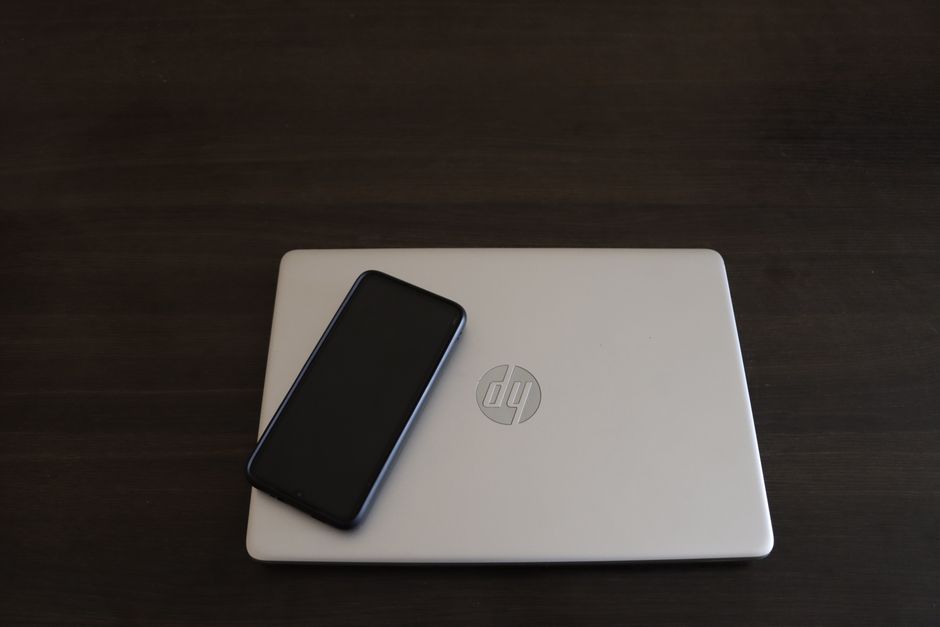
A minimalist travel setup: just a smartphone, a notebook, and the open road. No laptop required.
Quick Stats: Phone-Only Travel
✈️ Best time to visit: Any season, but late spring and early fall offer ideal weather for most destinations. 💰 Estimated budget: $50–150/day (depending on region). ⏱️ How long to spend: 2 weeks to 3 months. 🎯 Difficulty level: Easy to Moderate. 📍 Recommended season: Shoulder seasons (April–May, September–October). 👥 Best for: Solo travelers, digital nomads, minimalist backpackers.
Introduction
I remember the exact moment my laptop died. It was in a bustling café in Hanoi, and the screen flickered one last time before going dark. My heart sank. I had three more weeks of travel across Southeast Asia, a handful of freelance deadlines, and no backup machine. But instead of panicking, I looked down at the smartphone in my hand—the same device I used for Instagram, WhatsApp, and train tickets. Could I really run my entire trip, including my work, from this tiny screen?
The answer was a resounding yes. Over the next three weeks, I learned to edit photos, manage cloud backups, write articles, and navigate foreign cities—all with just a phone. That trip changed how I travel forever. I now travel exclusively with a smartphone, and I’ve helped dozens of fellow travelers do the same. In this guide, I’ll share exactly how you can embrace digital minimalism on the road, ditching the laptop without sacrificing productivity, connection, or peace of mind. You’ll learn the apps, workflows, and mindset shifts that make a phone-only workflow not just possible, but liberating.
The Essentials at a Glance
- 📱 Your phone is your office, camera, and library. Choose a device with at least 128GB storage and a great camera.
- ☁️ Cloud backup is non-negotiable. Use Google Photos, iCloud, or Dropbox to auto-sync everything daily.
- 🎒 Pack a portable keyboard and power bank. A foldable Bluetooth keyboard turns your phone into a writing machine.
- 📝 Master two editing apps. Learn Snapseed for photos and CapCut for video—they’re free and powerful.
The Complete Guide
Why This Matters / Why You Should Go Laptop-Free
Traveling without a laptop isn’t just about saving weight. It’s about reclaiming your attention. When I carried a laptop, I’d find myself hunched over it in hostels, cafes, and airport lounges, half-present in the place I’d traveled so far to see. Going phone-only forced me to be more intentional. I spent evenings chatting with fellow travelers instead of editing spreadsheets. I read maps on the move, not at a desk. The freedom was palpable.
This approach is perfect for solo travelers, remote workers on a sabbatical, and anyone who wants to carry less anxiety. The phone-only workflow isn't a hack—it's a lifestyle choice that prioritizes experiences over screens. And the best part? You’ll never have to worry about a laptop being stolen or breaking in transit.
When to Visit (Seasonal Guide)
The beauty of phone-only travel is that it works year-round. However, I recommend planning your trip during shoulder seasons (April–May, September–October). Crowds are thinner, prices are lower, and the weather is mild enough that you won’t stress about your phone overheating in direct sun or freezing in harsh cold. Avoid peak summer if you’re heading to tropical destinations—humidity can fog camera lenses and drain batteries faster. Winter trips to cold climates require extra battery packs (cold kills lithium-ion batteries). I’ve traveled through Indonesia in November and Japan in March; both were ideal for phone-only workflows because the moderate weather meant my device lasted longer.
Budget Breakdown
Here are real numbers from my 2023 trip through Thailand and Vietnam, using only a smartphone:
- Accommodation (low/mid/high): $10–15/night (hostel dorm), $25–40 (private guesthouse), $70+ (boutique hotel with fast WiFi).
- Food: $5–15/day (street food + one nice meal).
- Activities: $10–30/day (temple fees, cooking classes, scooter rental).
- Transport: $2–10/day (local buses, trains, Grab rides).
- Daily total: $35–80/day comfortably.
- Money-saving tips: Book accommodation with good WiFi reviews (use Hostelworld or Booking.com filters). Cook one meal per day using hostel kitchens. Download offline maps to avoid roaming charges.
Getting There & Getting Around
Most international airports offer free WiFi, perfect for downloading crucial apps before you leave customs. For local transport, I rely on Google Maps with offline maps pre-downloaded (about 200MB per city). Use Moovit for buses and trains in urban areas. For taxis, always use Grab (Southeast Asia), Uber (where available), or local ride-hailing apps—they integrate with your phone’s GPS and avoid haggling. I once took a 12-hour bus from Chiang Mai to Bangkok and watched movies on my phone the entire way, no laptop needed. For navigation, a phone mount for scooters is a game-changer.
Top Recommendations / Must-Do Activities
1. Digital Detox in Pai, Thailand. This mountain town has zero need for a laptop. I spent three days exploring waterfalls and hot springs, using my phone only for photos and offline maps. The lack of a laptop made me more present; I journaled in a notebook instead. Insider tip: stay at a hostel with a co-working space (like The Loop) for occasional WiFi, but leave your device in the locker.
2. Freelance Work in Hoi An, Vietnam. The ancient town has dozens of cafes with reliable WiFi (try Reaching Out Tea House for quiet vibes). I edited a batch of travel photos using Snapseed and uploaded them to my blog via WordPress app—took 40 minutes total. Downside: phone screens are small for complex edits, so I limited myself to 5-photo batches.
3. Night Photography in Luang Prabang, Laos. The night market is a dream for phone shooters. I used a tiny tripod and a Bluetooth shutter remote to capture long exposures of lanterns. No laptop required; I edited on the plane back. The monks’ alms ceremony at sunrise is also incredibly photogenic on a phone—just use portrait mode.
Traveler’s Pro Tips
Tip 1: Master your cloud backup before you leave. Set Google Photos or iCloud to auto-upload only on WiFi. Every night, I connect to hostel WiFi and let it sync. Lost or broken phone? Your data is safe. I once dropped my phone into a river in Cambodia—replaced it in two hours, and all my photos were waiting in the cloud.
Tip 2: Carry a 10,000 mAh power bank that supports fast charging. Cheap power banks take forever. I use the Anker PowerCore 10000 (about $25). It fully charges my iPhone three times. Also bring a short charging cable—long ones tangle in backpacks.
Tip 3: Use a portable Bluetooth keyboard for long writing sessions. The Logitech K380 folds flat and connects instantly. I wrote this article on a bus in Vietnam using that keyboard and Google Docs’ offline mode. It’s a game-changer for typing emails or journaling.
Tip 4: Download offline copies of crucial apps. Maps, translation, banking, and airline apps all work offline. Download Wikipedia for offline articles. I saved over 2GB of offline data before leaving home—never needed to hunt for WiFi except for backups.
Tip 5: Keep a physical notebook for brainstorming. Your phone’s notes app is great, but a small Moleskine is zero-distraction. I sketch itineraries and write down ideas, then transfer them to Notion later. It reduces screen time and boosts creativity.
Common Mistakes to Avoid
Mistake 1: Not testing your workflow before you leave. I tried editing video on my phone for the first time in a Bangkok hostel and spent an hour figuring out CapCut. Solution: practice for a week at home. Edit photos, upload files, use your banking app—make sure everything works offline.
Mistake 2: Relying on public WiFi for everything. I once lost a freelance deadline because hostel WiFi crashed. Always have a backup: buy a local SIM card (costs $5–10 in most countries) with 10–20GB data. I use Airolo for eSIMs; it activates instantly without a physical card.
Mistake 3: Forgetting to secure your phone physically. A phone is easier to steal than a laptop. I use a neck pouch under my shirt for crowded areas. Never put your phone in back pockets on buses. I learned this the hard way in Ho Chi Minh City—luckily, I caught the thief before he disappeared.
Mistake 4: Overpacking accessories. You don’t need 10 cables. I bring: one USB-C to Lightning cable, a power bank, a wall charger with two ports, and earbuds. That’s it. Anything else is weight you don’t need.
Your Travel Checklist
- Documents: Digital copies of passport, visa, and travel insurance saved in Google Drive (offline). Screenshot your flight confirmations.
- Packing: Portable keyboard, power bank, fast charger, short cable, earbuds, phone mount for scooters.
- Research: Download offline Google Maps for your entire destination region (about 500MB per country). Save hostel and café WiFi passwords in your notes.
- Bookings: All reservations confirmed on your phone’s calendar. Download airline apps and check-in online before departure.
- Health/Safety: Download a first-aid app and Save the Children’s Emergency App (offline). Write down emergency contacts in your phone notes.
- Local Currency: Set up a travel-friendly banking app (like TransferWise or Revolut) that works with your phone’s NFC for payments.
- Apps: Snapseed, CapCut, Google Docs (offline mode), Maps.me, Google Translate (offline languages), a VPN.
Traveler FAQ
Q: Can I really edit professional-quality photos on a phone?
A: Yes, with practice. Snapseed handles 90% of editing: exposure, color correction, crop, and healing. For advanced work, Lightroom Mobile is free for basic features. I’ve sold travel prints edited entirely on my phone—the key is shooting well-lit photos to begin with.
Q: How do I manage work deadlines without a laptop?
A: Use Google Docs for writing (offline mode), WordPress or Medium apps for publishing, and Trello for task management. For video calls, use WhatsApp or Zoom—a $15 earbud microphone beats the phone’s built-in mic. I once joined a client meeting from a beach in Thailand; they never knew I was on a phone.
Q: What if my phone breaks or gets stolen?
A: Immediately buy a cheap local phone (most places sell used phones for $50–100). Sign into your cloud accounts—all your data returns. Keep a screenshot of your phone’s IMEI number in your email for insurance claims. I have a backup phone saved on Amazon Wishlist for emergencies.
Q: The screen is too small for reading or typing long documents—any fix?
A: Use a Bluetooth keyboard and enable reading mode or dark mode in browsers. For long articles, I use Safari’s Reader View (iOS) or Chrome’s reading mode (Android). The keyboard turns your phone into a mini-laptop for writing.
Q: How do I protect my privacy using public WiFi?
A: Always use a VPN. I use Surfshark or ProtonVPN (free tier works). Never access banking apps on public WiFi—use mobile data instead. Turn off WiFi and Bluetooth when not in use. Set your phone to automatically forget networks after leaving them.
Ready for Your Adventure?
Traveling with only a smartphone isn’t about limitations—it’s about liberation. When you let go of the laptop, you make room for spontaneity, deeper conversations, and the simple joy of being present. You’ll discover that your phone can do far more than you imagined, and that the heaviest bag you carry isn’t the one on your back, but the weight of expectation. I’ve now completed four trips phone-only, and each one felt more connected than the last. If you’re hesitating, start with a weekend trip—leave the laptop at home and see how it feels. Pack light, trust your cloud, and get ready to experience travel the way it’s meant to be: with your eyes on the world, not on a second screen. The road is waiting, and your pocket is enough.


No comments:
Post a Comment