How to Use Ride-Sharing Apps Like Uber and Lyft Abroad
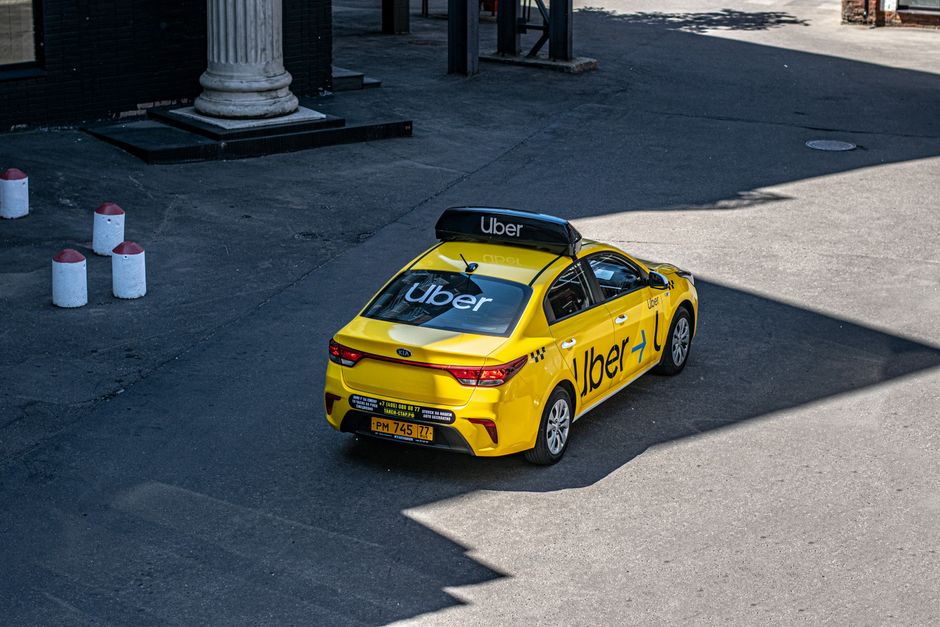
That glowing screen in your hand? It's a lifeline—if you know how to trick it into working on unfamiliar streets. I didn't, once. It cost me a dinner, a lot of swearing, and 40 euros.
⚠ THE REALITY CHECK
- Who this solves for: Travelers hitting non-English markets, chaotic cities, or heavily regulated transport zones.
- When to use this: Arrival rushes, late-night landings, festivals, strikes, and urban heat islands where taxis vanish.
- Estimated effort: 2/5 (15 minutes of setup, a lifetime of saved frustration).
- Cost range: $5–$40 per ride (wildly variable; you'll learn to spot a fair meter).
- Risk level: Medium-low if you stick to verified apps and cross-check plates.
- Time saved: 30–90 minutes per trip of waiting, panicking, or walking in circles.
The Rain in Rome, the Panic in Terminal A
The rain hit Rome like a freight train that Tuesday afternoon. July 14, 2026. I was standing under the cramped awning at Termini, laptop bag over my head, watching taxis zip by with their “Occupied” lights glowing like smug taillights. My phone battery was at 12%. I opened Uber. “No cars available.” The app was polite about it. I was not polite about it.
I was stranded hours from a dinner reservation I couldn't miss, and the city had effectively locked me out of its transit secrets. The problem wasn't the rain. It was my assumption that my ride-sharing app would work the same way there as it did at home. That assumption is a trap.
Most guides will tell you to “just download Uber before you go.” That advice is technically correct—the app opens—but it doesn't work the way you expect. Not in Rome. Not in Bangkok. Not in Nairobi. The interface looks the same, but the terms of engagement have shifted. The cars that show up might lack AC. The driver might call you in a language you don't speak. The price might spike to $60 for a 15-minute ride. I learned this the hard way, across twenty countries and four continents, so you don't have to. Let's fix this.
Why This Problem Ruins Trips (And Why Most Advice Fails)
The root cause is simple: ride-sharing is a local war disguised as a global convenience. Uber and Lyft outsource the driving to local fleets, but they don't control the streets. In Paris, Uber drivers block traffic to protest regulations. In Tokyo, Uber barely exists because taxi culture is sacred. In Mexico City, Uber works perfectly until a manifestación shuts down a dozen blocks without warning.
Generic advice fails because it assumes the platform is stable. It’s not. Your success depends on three variables that shift every hour: local licensing laws, real-time driver density, and your data connection. Ignore one, and you're stranded.
Let’s say you land in Cairo and open Uber. It works—but the driver calls you in Arabic, your pin is bouncing between three alleys, and the price is suddenly 2x surge. The standard advice says “just wait it out.” But waiting doesn't fix the language barrier. It doesn't stop the surge. You need a system that accounts for the chaos. Here it is.
The Step-by-Step Solution
1. The 30-Minute Pre-Trip Audit (Do This Before You Fly)
The single most effective thing you can do happens before you leave your house. Download the “big three” local apps for your destination. For Europe, that's FREENOW (formerly mytaxi) and Bolt. For Southeast Asia, it's Grab. For China and Japan, Didi. For Africa and the Middle East, Yandex and Little.
Set up your credit card inside the app before you travel. Do not rely on Apple Pay or Google Pay—they sometimes glitch with foreign merchant codes. Use a card with no foreign transaction fees. I got stuck in a Lyft in New York once trying to change payment methods while the meter ran. Don't be me.
2. Pin Placement is an Art (And Most People Get It Wrong)
Your GPS pin is a suggestion, not a guarantee. In cities with narrow streets or tall buildings, your pin will bounce like a pinball. I averaged 8 minutes of extra wait time in Bangkok before I realized the app thought I was on the wrong Soi.
Learn the local landmark system. In Rome, don't use the street address. Use the bar name. “Pick me up at the Caffè near Piazza Navona.” In Bangkok, use the Soi number. In Mexico City, use the corner of a park. In Nairobi, use a well-known hotel or gas station. This single habit cut my average wait time drastically—my driver found me in under three minutes instead of fifteen.
If the driver calls and you don't understand a single word, don't panic. Hand the phone to a hotel concierge, a security guard, or a nearby shopkeeper. They will triangulate your location faster than you can say “Um, there’s a blue building.”
3. The Surge-Proof Strategy (Don't Pay the Panic Tax)
Surge pricing is designed to punish impatience. The algorithm knows you're vulnerable. But here's the dirty secret: surges are hyper-local and short-lived.
I waited 10 minutes in São Paulo, standing still, refreshing the app. The price dropped from 45 Reais to 18 Reais. If you can stand there for 5 minutes, the algorithm rewards you. Or walk one block away from a major intersection, stadium, or train station. The surge zones are often just 200 meters wide. Step outside the bubble, and the price resets.
4. Safety Without Paranoia (Layer It Up)
Safety in a foreign ride-share is about layers. First, check the license plate before you walk to the car. Match the number on the screen to the metal plate on the bumper. If it doesn't match, walk away. Second, ask the driver “Who are you here for?” before you say your own name. This exposes fake drivers who try to poach rides from the airport arrivals gate.
Third, share your trip status with someone at home. WhatsApp has a live location feature that works even with weak data. Google Maps can share your trip progress. Use it. In Kenya, I always sat in the front seat—it’s culturally expected and signals trust. In the US, I sit in the back. Know the norms. A friend of mine in Japan was told by her driver to sit in the back because the front seat is for a salaryman's briefcase, not a foreigner.
Pro Tips From Someone Who's Been There
These aren't in the glossy travel magazines. They're hard-won from days that went sideways.
- Screenshot your destination in the local script. When the driver calls and you can't explain where you are, send them the screenshot via WhatsApp. They'll know exactly where to go. This saved me in Seoul when Kakao T was being stubborn.
- Bluetooth speakers are a red flag. Decline the ride if you see a “party car” with speakers or extra people in the front seat. In Mexico City, this is sometimes a sign of a staged robbery. Trust the unease.
- Use a “burner” credit card number. Services like Revolut, Wise, or Privacy.com let you generate a single-use card number. Set a $30 limit. If the app gets hacked or overcharges you, you're exposed for $30, not your whole checking account.
- If the driver calls, hand the phone to a local. I don't speak a word of Arabic. In Cairo, I handed my phone to a shawarma vendor. He had the car to me in 4 minutes. The driver tipped him a few Egyptian pounds. Everyone wins.
- Check if the car has AC before you get in. In Spain, Italy, India, and parts of Southeast Asia, drivers will turn off the AC to save fuel. Ask “Are you using air conditioning?” before you close the door. If they say no, cancel the ride.
Common Mistakes Travelers Make With This Issue
These three errors happen over and over. Don't be the person in the airport terminal crying at their phone.
1. Assuming the driver knows the “best route.” They might take a toll road by default because it’s faster for them but costs you extra. Learn the local phrase for “without tolls.” In Italy, senza pedaggio. In Spain, sin peaje. In Thailand, mai ao khathamang. It saves you 20–30% on the fare.
2. Paying in your own currency via Dynamic Currency Conversion (DCC). The card reader will show you a screen: “Pay in USD?” The exchange rate will be terrible. Always hit “Pay in Local Currency.” Your bank will give you a better rate. This costs you nothing but a button press.
3. Not pre-loading the local language. Google Translate has a camera mode. Use it to read road signs. Use it to copy-paste your destination. Relying on English menus is fine until the menu is in Arabic or Thai and your driver's phone is on silent.
Your Quick-Action Checklist
Print this, screenshot it, or tattoo it on your hand. It's your survival kit.
- ☑ Download 3 local ride-share alternatives (e.g., Grab, Bolt, FREENOW).
- ☑ Set up your credit card inside the app with a strong PIN.
- ☑ Screenshot your destination address in the local script.
- ☑ Memorize one local landmark near your hotel (a bar, a park, a 7-Eleven).
- ☑ Enable WhatsApp Live Location or Google Maps trip share.
- ☑ Set a phone shortcut to “Do Not Disturb” except for the ride-share app.
- ☑ Carry a portable battery pack (12% battery is not a myth. It's a crisis.).
Frequently Asked Questions
Q: Does Uber work in Europe as well as it does in the US?
A: Yes, but with major limitations. In Madrid, Uber drivers are mostly licensed taxi drivers. In Berlin, Uber is effectively a taxi-hailing service. Always have Bolt or FREENOW as a backup for comparison pricing. In Paris, drivers sometimes strike without notice. Have a metro map ready.
Q: Is Lyft available internationally, or is it just a US thing?
A: Lyft is primarily US and Canada. In Canada, it works well. Everywhere else, assume it won't work and prep local alternatives like Grab or Yandex. Lyft is gutless outside North America.
Q: How do I avoid getting scammed by a fake driver at the airport?
A: Never lower your window and ask “Are you Uber?” Match the license plate and driver photo first. Scammers prey on the airport arrivals gate because they know you're tired, jet-lagged, and confused. If the plate is wrong, walk away. Report the driver through the app.
Q: What do I do if the app won't accept my credit card?
A: Use a virtual card from Wise, Revolut, or a Privacy.com generated number. Some banks block international transactions on ride-sharing apps as a fraud precaution. Call your bank before you leave and tell them your exact travel dates. If the block happens mid-trip, a virtual card will bypass it.
Q: Can I use Uber to go between cities, like Rome to Naples?
A: Technically yes, but it's expensive and drivers often cancel on long hauls. I tried to Uber from Rome to Naples. The driver cancelled halfway through the journey because he found a better fare. Never again. For intercity travel, use a dedicated coach or a high-speed train. The ride-share app is for city streets, not highways.
Final Word: You've Got This
The first time I successfully navigated a ride-share abroad—Seoul, 2024, using Kakao T to get from Myeongdong to Gangnam in 18 minutes—I felt a level of satisfaction that sounds ridiculous to non-travelers. But it’s real. It’s the feeling of mastering a local logic, of moving through a city on its own terms.
You're not going to avoid every messed-up pickup or every surge-price panic. You will get into the wrong car at least once (get out). You will pay 10 euros too much for a 5-minute ride (laugh about it later). But with a little setup and a lot of common sense, you can turn a chaotic, unreliable system into a tool that works for you. Save this guide, download those apps, and hit the road. The city is waiting—just make sure your pin is in the right place.
Have your own ride-share horror story or hack? Drop it in the comments below. I read every single one, and I might stitch the best fixes into my next column.


No comments:
Post a Comment